
Contents
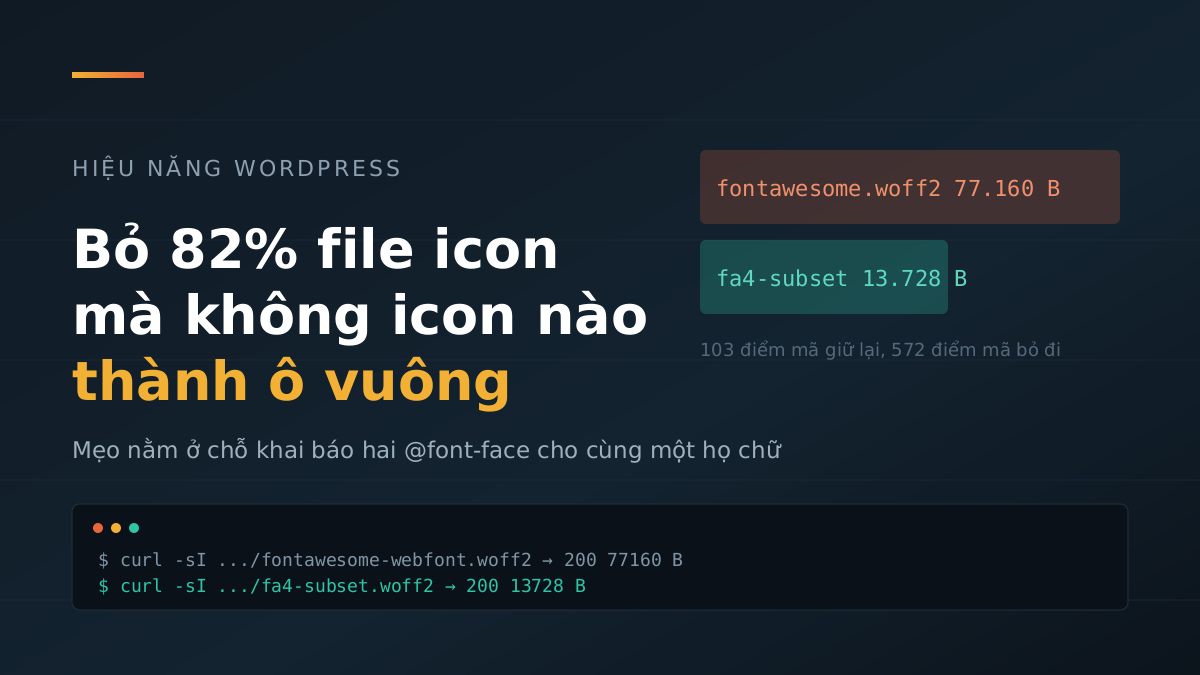
Every page on marketing365.vn loads a font file called fontawesome-webfont.woff2, weighing 77,160 bytes. That file contains 675 icons. The site actually uses about one hundred of them. The rest are Bitcoin icons, ambulance icons, Foursquare logo icons — things this site will never draw.
Trimming sounds easy. The reason almost nobody does it is the cost of trimming too far: miss just one icon and that spot turns into an empty square, and you usually do not know until a visitor sees it. This article is about removing 82% of that file while pushing the square-placeholder problem out of the danger zone.
Why trimming an icon font is scarier than trimming CSS
When the theme CSS was cut from 1.2 MB to 243 KB, missing a rule meant one color or spacing mismatch — annoying, but immediately visible and fixable by adding that rule back.
Icon fonts are different. An icon is not an image; it is a character. Each icon lives at its own code point, for example the right arrow is U+F105 and the magnifying glass is U+F002. The browser pulls that character from the font file. If the font file does not contain that character, the browser draws a fallback square instead; it does not go looking for another file.
And you cannot check everything. This site has more than 1,600 pages, a theme with dozens of options, plugins that can inject their own icons, and future posts that may use any icon at all. The list of “icons the site is using” changes every time you toggle an option in the Customizer. A subset built correctly today is no guarantee it will still be correct three months from now.
Declaring two @font-face rules for the same font family
The escape hatch comes from two CSS properties that are ordinary on their own, but together solve exactly the problem above.
First, a font family may have multiple @font-face declarations, and for characters covered by more than one declaration, the later one wins. Second, the browser only loads a font file when the page actually contains a matching character — unicode-range is what tells it which characters a declaration covers.
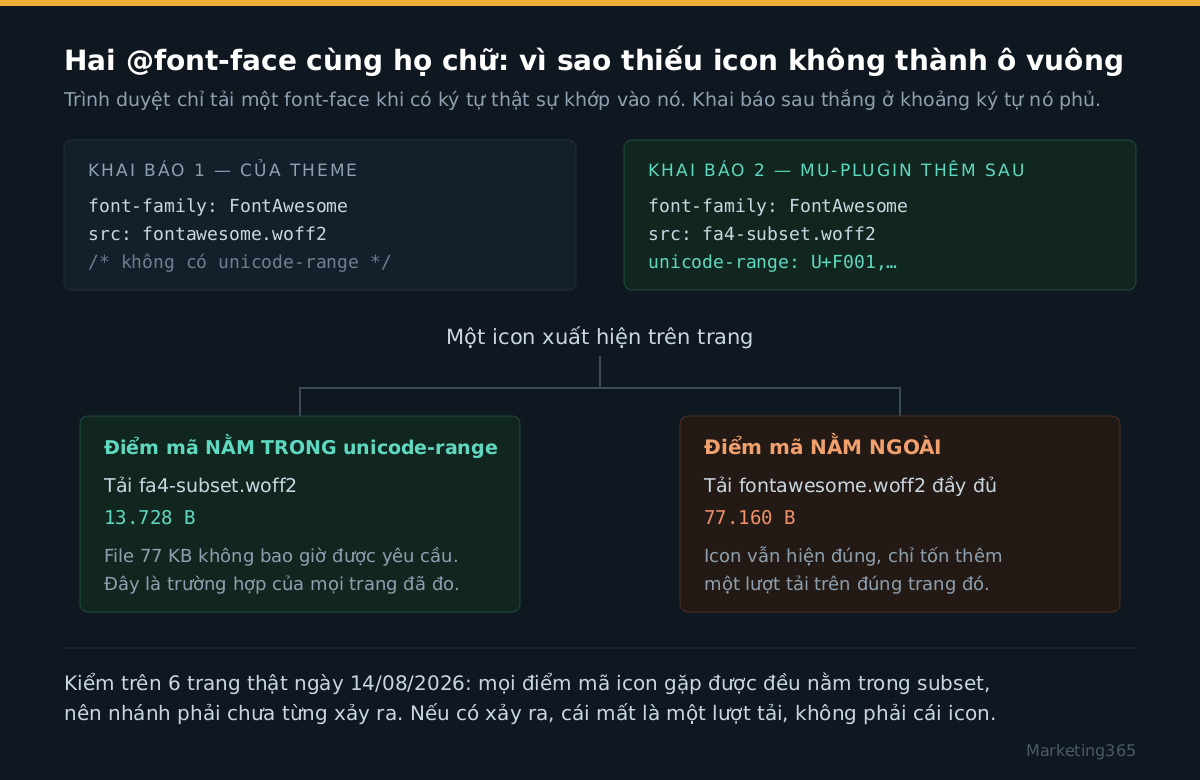
The theme had already declared the FontAwesome family pointing to the full file, with no unicode-range, which means that declaration covers every character. The fix is to add a second declaration, with the same family name, pointing to the subset file, and include the exact list of code points that the subset contains:
@font-face{
  font-family:'FontAwesome';
  src:url('/wp-content/themes/soledad-child/fonts/fa4-subset.woff2') format('woff2');
  font-weight:normal; font-style:normal; font-display:swap;
  unicode-range:U+F001,U+F003,U+F004,U+F005,U+F007,U+F00D,U+F013,...
}
The result is the two branches in the diagram above. If an icon is in the list, the browser loads the 13,728-byte file and never asks for the 77 KB file. If an icon is outside the list, the second declaration does not cover it, the theme declaration does, and the browser loads the full file and renders that icon normally.
The key point is this: the cost of a missing subset is no longer a square placeholder, but one extra download on the exact page that uses the unusual icon. What used to be a visible rendering bug becomes invisible bandwidth waste. That is what makes it safe to leave the subset in place and forget about it.
The trap when trying to find the icons in use
The obvious way to find which icons a site uses is to scan template files for the string fa-. On this theme, that method produces the wrong list.
Soledad has a function called penci_icon_by_ver() in inc/template-function.php. The icon class written in the template is FontAwesome 5 style, for example fab fa-facebook-f. But before it is printed into HTML, the function reads a theme option and rewrites the class:
Read more: How Should B2B Content Be Written to Hit the Right Goal?
$fontawesome_ver5 = get_theme_mod( 'penci_fontawesome_ver5' );
if ( ! $fontawesome_ver5 ) {
    $class = str_replace( array( 'fab ', 'fal ', 'far ', 'fas ' ), 'fa ', $class );
    if ( 'fa fa-facebook-f' == $class ) {
        $class = str_replace( 'facebook-f', 'facebook', $class );
    } elseif ( 'fa fa-thumbtack' == $class ) {
        $class = str_replace( 'thumbtack', 'thumb-tack', $class );
    }
    ...
That means the class in the source code and the class that reaches the browser are two different things, and which one appears depends on a Customizer option. There is another branch too: if outline-style icons are enabled, an entire set of social icons switches to the theme’s penciicon- set, with nothing to do with FontAwesome.
The lesson is not “this theme is badly written.” The lesson is the icon list must come from the HTML the server actually outputs, not from template source code. And even then, things can still be missed, which is why the safety net above is still needed.
The numbers after production rollout
Two files are now being served on the live domain, checked on 14/08/2026:
$ curl -sI .../soledad/fonts/fontawesome-webfont.woff2   → 200   77.160 B
$ curl -sI .../soledad-child/fonts/fa4-subset.woff2      → 200   13.728 B

Code points in full FontAwesome 4.7 file    675
Code points kept in subset                 103   (−84,7%)
Size                                   −63.432 B   (−82,2%)
The more important test is whether the right-hand branch of the diagram ever runs. I took the real HTML from 6 pages — the homepage, two category pages, one post, the topic page, and the contact page — then matched every fa- class I found against the FontAwesome 4.7 code-point table and the subset’s unicode-range list. Result: no page had an icon that fell outside the subset. That means on those pages, the 77 KB file was never requested.
To be precise: 63,432 bytes is the size of one font download, and the browser caches the font, so a reader opening a second page does not download it again. Where it matters is the first visit, on mobile networks — exactly where web speed on mobile phones decides whether people stay or leave.
Do not forget to preload the subset file
There is an easy-to-miss detail here, and it ruins most of the savings. The CSS file that references the font is loaded asynchronously, so the browser does not know this font exists until the CSS arrives and is applied. The font therefore starts loading very late, and while it waits, the icon area is blank.
The fix is to declare a preload in the <head>:
<link rel="preload" as="font" type="font/woff2"
      href=".../fa4-subset.woff2?v=1754024000" crossorigin>
The crossorigin attribute is required even when the font is on the same domain — fonts are always fetched in anonymous mode, and without this attribute the browser treats the preload as a different resource and downloads it again. The ?v= parameter comes from the file modification time, so when the subset is rebuilt later, the old cached copy expires automatically.
If you plan to do this on your own site
- Take the rendered HTML from about five to ten representative pages, not the template files. Extract the icon classes and map them to code points using the CSS file of the icon set you are actually using.
- Build the subset file from that code-point list, and have the build tool write that list to a file alongside it. Read
unicode-rangefrom that file instead of typing it by hand — typing it by hand is the surest way to let CSS drift away from the font after the second rebuild. - Add the second
@font-facedeclaration after the theme’s declaration; do not edit or remove the original one. The original declaration is the safety net. - Preload the subset file, and remember
crossorigin. - Verify by opening the Network tab and browsing a few pages: you should see the subset file, not the full file. If you see both, the subset is missing an icon — not urgent, but it should be rebuilt.
This is much cleaner than trimming CSS, and it does not come with any awkward trade-off. The only hard part is accepting that you will never list every icon your site uses, then designing things so that missing a few no longer matters.



