

Contents
- What is Google Ads Quality Score and why you should care before optimizing
- How to check Quality Score in Google Ads before making changes
- What causes low Quality Score and how to fix each part
- A Quality Score optimization process: easy fixes first, harder fixes later
- Common mistakes that keep Quality Score from improving even after optimization
- When to optimize yourself and when to get help from an experienced specialist
- Frequently asked questions about how to optimize google ads quality score
When your Google Ads Quality Score is low, CPC often rises and ads struggle to hold a strong position even with the same budget. The three biggest factors are ad relevance, Google Ads ad CTR, and landing page experience. This article focuses on how to optimize google ads quality score by checking first and fixing later, so you can quickly audit your account and know where to make changes.
If a keyword is driving high costs, prioritize checking ad groups by theme, ad copy that matches search intent, and the landing page that matches what users need. For example, a shop bidding on “buy running shoes” but sending traffic to a general category page will usually struggle to achieve a strong Quality Score. The fix is to split keyword groups more clearly, write headlines that closely match the query, and send users to the right product or related category page.
What is Google Ads Quality Score and why you should care before optimizing
Google Ads Quality Score is a metric that shows how relevant your keyword, ad copy, and landing page are to one another. When this score is low, ads often have to pay a higher CPC to keep the same ad position, so it’s something you should review early before increasing budget.
If you’re seeing low CTR, keywords with many impressions but few clicks, or rising CPC without better conversions, how to optimize google ads quality score should be a priority. One very clear sign is that within the same ad group, keywords that drift away from search intent usually perform much worse, even if they still get impressions.
What does Quality Score reflect in an ad account?
Google Ads Quality Score reflects three main parts: ad relevance, expected Google Ads ad CTR, and landing page experience. If any part is weak, Google Ads quality score usually gets dragged down, so raising bids won’t solve the root cause.
For example, an ad group that is too broad, mixing buying keywords with research keywords, often causes both CTR and relevance to drop at the same time. In that case, you need to optimize Quality Score by grouping keywords by theme, writing ad copy that matches the query, and sending users to a landing page that fits the keyword.

When should you check Quality Score right away?
You should check Quality Score right away when CPC rises but conversion rate does not improve, or when a keyword gets many impressions but very few clicks. This is a sign that keyword performance improvement is being blocked by ad relevance or landing page experience.
Another situation is when the landing page says one thing, the ad says another, and the search query reflects a different intent. When that happens, review the ad group by theme, add Google Ads negative keywords, and adjust the message before increasing budget.
How to check Quality Score in Google Ads before making changes
How to check Quality Score in Google Ads starts with reviewing each keyword individually, not making broad changes based on the overall score. Open Google Ads, go to `Keywords` to view the `Quality Score` column, then compare it with `CTR`, `Ad relevance`, and `Landing page experience` before touching the ad or landing page.
Step 1: Open the right table and add the necessary columns
Go to `Campaigns` > `Keywords` > `Search keywords`. Then choose `Columns` > `Modify columns` and add four columns: `Quality Score`, `Expected CTR`, `Ad relevance`, `Landing page experience`. For accounts with many ad groups, filter by each `Ad group` to avoid misreading results across different themes.
For example, a keyword like `Google advertising services` may have 120 impressions but a Quality Score of only 4/10. If `Expected CTR` is “Below average” and `Ad relevance` is also “Below average,” the problem usually lies in ad messaging that does not match the query.
Step 2: Read search queries before editing ad copy
Open `Search terms` to see what users are actually typing. This step helps determine whether the keyword is off intent. If the actual query is `learn Google advertising for free` but the keyword you’re running is selling a service, add negative keywords such as `free`, `course`, and `self-study`.
If the query matches intent but CTR is still low, adjust the headline and description to match the exact phrase users are searching for. For example, a headline can be more closely aligned with `Google Ads services for small shops` instead of just `Effective advertising solutions`.
Step 3: Check the landing page only after ruling out keyword and ad issues
Open the landing page URL in a browser and compare the content with the main keyword. The landing page should have a title, opening paragraph, and service section that match the query theme. If the keyword is about `Google advertising services for stores`, but the landing page talks broadly about all digital marketing, Quality Score will usually be hard to improve.

To prioritize correctly, follow this order:
- Filter keywords with many impressions but low Quality Score.
- Review `Search terms` to spot off-target queries.
- Fix `negative keywords` or split the ad group again if intent is mixed.
- Adjust the ad headline, description, and display path if the query is right but CTR is low.
- Only optimize the landing page when the four columns above still do not improve.
When should you stop fixing one area and move to another?
If `Ad relevance` is “Above average” but `Landing page experience` is still “Below average,” stop editing the ad. Review the landing page content, load speed, and how closely the H1 matches the keyword. Conversely, if the landing page is already on topic but CTR is still low after 100–200 impressions, the issue usually lies in the ad copy or targeting.
A quick check is to write down three lines: keyword, actual query, and notes on the four quality columns. This helps you know what to fix first instead of optimizing too broadly and spending more budget.
What causes low Quality Score and how to fix each part
Low Quality Score usually comes from three areas: the relevance between keyword, ad, and ad group; ad CTR; and landing page experience. If you only fix one area, the score is still hard to improve sustainably. The right approach is to break each pillar down, check the signs first, then fix the real cause.
Optimize relevance between keyword, ad, and ad group
Google Ads Quality Score is often low when one ad group contains too many different search intents. For example, if one ad group includes both `accounting services for shops` and `free accounting software`, the headline and landing page will be very hard to align.
- Sign: the ad has impressions but low CTR, and search queries are off topic.
- Common cause: ad groups are too broad by theme, with too few Google Ads negative keywords.
- Fix: group keywords by intent, write headlines that closely match the main search phrase, and keep the description consistent with the landing page that fits the keyword.
- Note: each ad group should have one clear intent. If queries differ too much, split them into separate groups.
A quick checklist is: 1) review the Search terms report, 2) mark off-intent queries, 3) add negative keywords or split the group, 4) align keyword – headline – description – landing page.
Improve ad CTR without distorting the message
Low Google Ads ad CTR usually means the ad copy is not close enough to the query or the promise is too generic. The right way to increase CTR is to make the ad clearer, not more “clickbaity.”
- Sign: many impressions but few clicks, or CTR rises but conversions do not improve.
- Common cause: the headline lacks the main keyword, the CTA is vague, and the ad copy looks like competitors’ copy.
- Fix: put real benefits in the headline, review the CTA, and add a differentiator that can be proven on the landing page.
- Note: if an ad is attractive but does not reflect the actual content, overall quality can still drop.
For example, instead of writing in an overly broad way, keep the message tied to the real need of the searcher. Doing so often improves ad relevance without setting the wrong expectation.
How can you make the landing page match the ad query better?
A landing page matches when users open it and immediately see the topic they just clicked on, without having to figure it out from scratch. This directly affects landing page experience and Google Ads Quality Score.
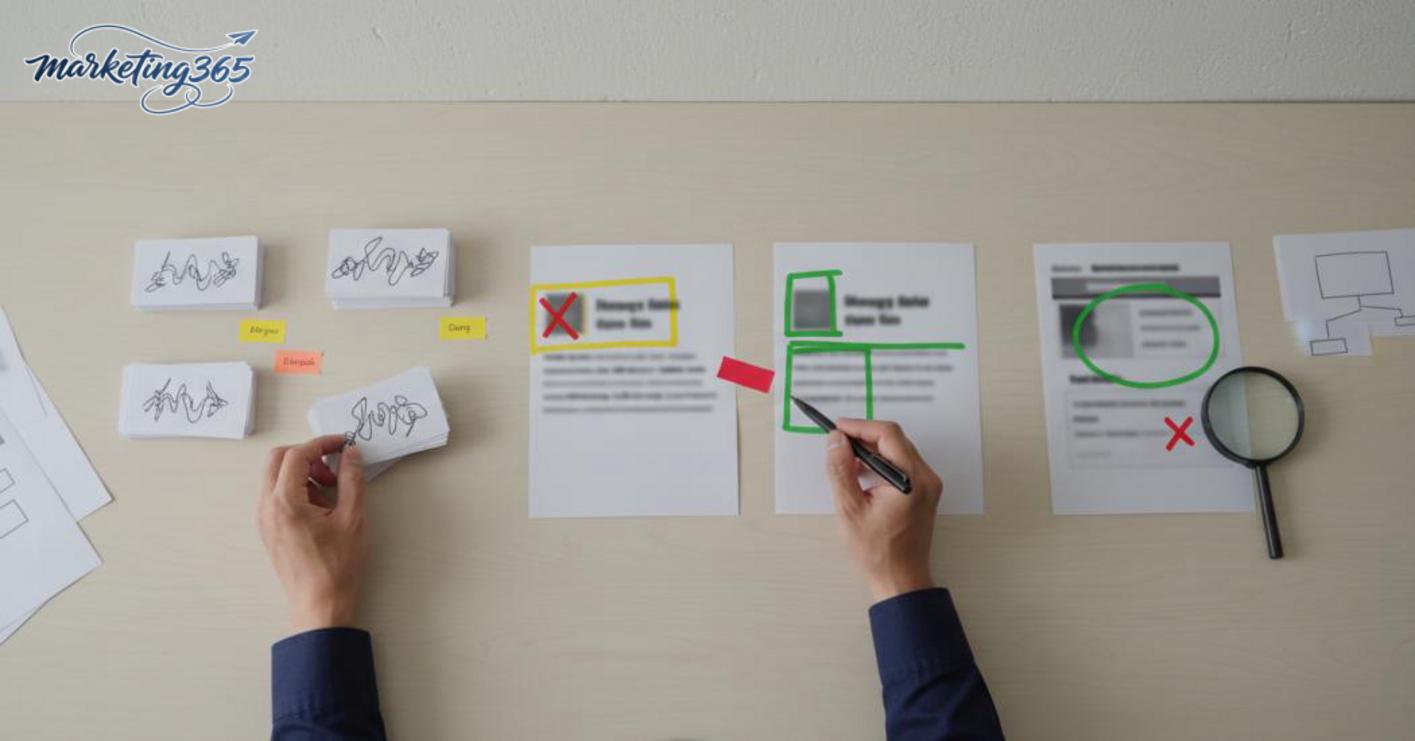
- Sign: the ad gets clicks but the bounce rate is high, and users stop near the top of the page very quickly.
- Common cause: the page title does not match the ad’s meaning, important information is pushed too far down, and the page loads slowly on mobile.
- Fix: place a top-of-page title that reflects the query, shorten the path to the main information, and optimize the landing page experience on mobile first.
- Note: if the ad says one thing but the page says another, Quality Score usually will not improve even if the design looks good.
A quick check is to open the page on mobile, read the first 5 seconds, and ask yourself: would someone who searched this keyword feel they found exactly what they need? If the answer is no, fix the title, opening paragraph, and layout before touching anything else.
A Quality Score optimization process: easy fixes first, harder fixes later
The Quality Score optimization process should follow this order: review queries first, then adjust ad groups, rewrite ad copy, and finally fix the landing page. Doing it this way helps avoid scattered changes, because you’re working from real account data before touching the more time-consuming parts.
Step 1: Review queries and remove irrelevant traffic
The starting point is to check Search terms in Google Ads to see what users actually typed. If there are off-topic queries, add Google Ads negative keywords right away to block waste and keep the groups with strong intent; this often improves keyword performance faster than editing headlines first.
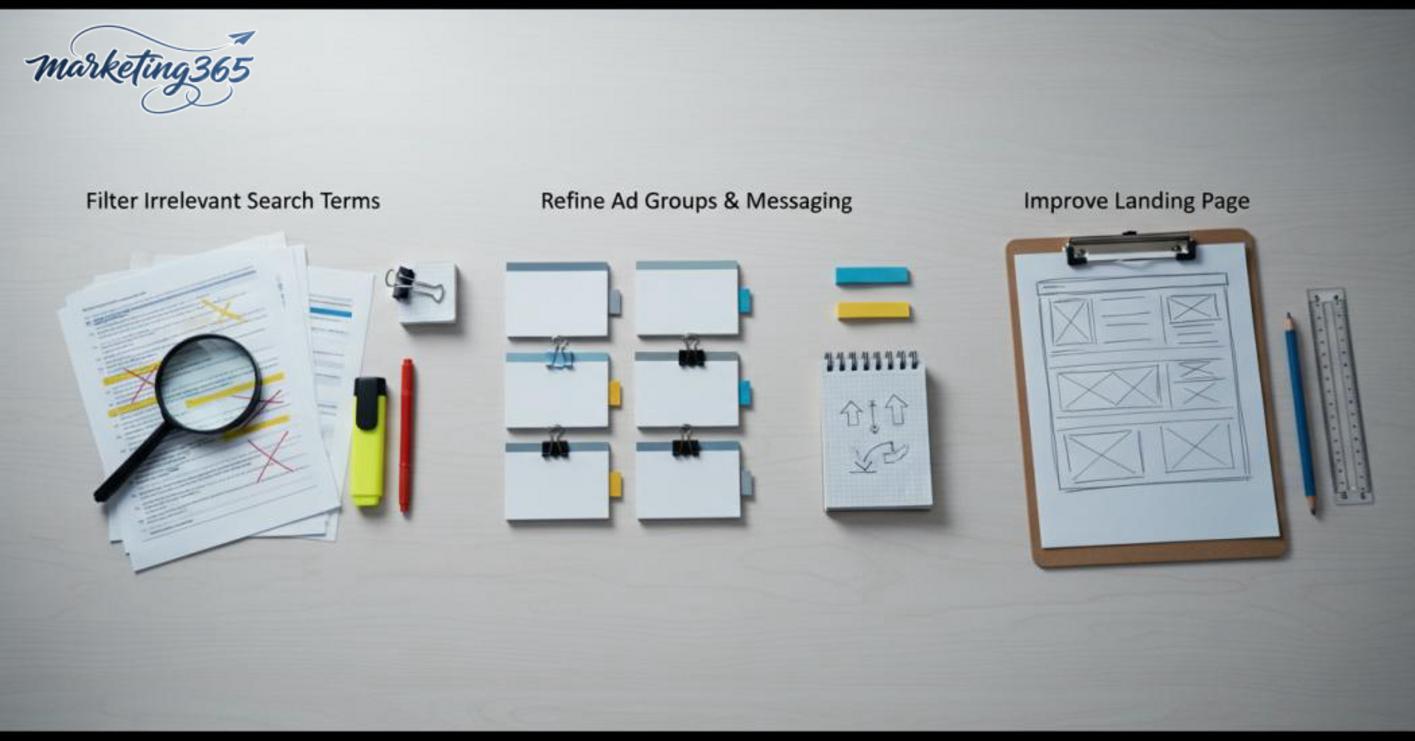
Do this checklist now:
- Open the Search terms report for the last 7–30 days.
- Mark queries that are not related to the product, service, or service area.
- Add negative keywords by theme, by too-early buying intent, or by overly broad intent.
- Keep the queries that show clear demand, then group them appropriately.
A common mistake is letting ads run too broadly and waiting for Quality Score to rise on its own. In reality, if the query is wrong from the start, every later optimization is less effective.
Step 2: Adjust ad groups and messaging
After filtering queries, the next step is to split ad groups by theme to improve ad relevance. A group that is too broad and contains multiple services or product lines often lowers Google Ads ad CTR because the headline cannot closely match each search intent.
Simple and safe approach:
- Split ad groups into clear themes, with each group serving only one main intent.
- Write headlines that match or closely mirror the main search phrase.
- Keep descriptions short and focused on the benefit or differentiator the searcher needs.
- Avoid stuffing too many messages into one attractive ad.
For example, if one group mixes multiple services, split it so each ad responds to one need. This is an important step in how to optimize google ads quality score because it directly affects Quality Score optimization.
Step 3: Optimize the landing page before bigger changes
A good landing page is a landing page that fits the keyword, carries the same message as the ad, and does not make users guess what to look at next. Just a few basic edits can already make a clear difference compared with rebuilding the entire page.
Prioritize fixes in this order:
- Put the correct product/service name at the top of the page.
- Make the top-of-page content match the ad promise.
- Rearrange the layout so readers see the main information within the first few seconds.
- Trim sections that slow the page down or create clutter.
- Add basic trust signals such as clear descriptions, policies, and business information.
If the landing page is off topic or slow, Quality Score is usually hard to improve even if the ad copy is strong. So fix the issues with the clearest impact first, then reassess the full landing page experience after 3–7 days.
Common mistakes that keep Quality Score from improving even after optimization
How to optimize Google Ads Quality Score often fails because advertisers fix the visible parts but ignore the parts that actually create the score: structure, relevance, and post-optimization tracking. If your Google Ads Quality Score is still stuck after a few edits, review the three mistakes below before changing bids or rewriting the entire campaign.
Only optimizing bids and ignoring account structure
Raising bids only helps you buy more visibility, while a low Quality Score still pushes CPC up and reduces the effectiveness of CPC bidding. When ad groups are too broad, keywords are off topic, or the landing page does not match search intent, ad relevance will not improve even if budget increases.
Quick checklist:
- Group ads by clear themes, with each group tied to one need.
- Use keywords that fit the context, and avoid stuffing in too many variants with different intent.
- Check for a landing page that fits the keyword; the title and content must point in the same direction as the ad.
Writing generic ads that do not match the query
An attractive but overly broad ad will keep Google Ads ad CTR from rising because searchers see an ad that is “in the right industry” but not “for the right problem.” A headline that can apply to every service usually improves Quality Score more slowly than a title that clearly states the need, location, situation, or specific benefit.
Review each keyword group against the ad copy:
- What does the query say, and does the headline repeat that idea?
- Does the description address the real pain point or only general benefits?
- Have you added Google Ads negative keywords to remove off-target queries?
Forgetting to track after optimization
Quality Score optimization only works when you track changes by keyword group and allow enough time to see the trend. If you change bids, ads, and landing pages at the same time and judge the result after one day, you won’t know which change improved keyword performance and which one left the score unchanged.

Simple approach:
- Record Quality Score, Google Ads ad CTR, and CPC before making changes.
- Change only one variable at a time, especially for core keyword groups.
- Compare again after a few days, then decide whether to keep or roll back.
When to optimize yourself and when to get help from an experienced specialist
When to optimize yourself and when to get help from an experienced specialist depends on risk level and account complexity. If it’s just a few isolated issues in one ad group, you can make the changes yourself to improve Google Ads Quality Score and Google Ads ad CTR. If the changes affect structure, measurement, or multiple campaigns at once, stop and review more deeply.
Cases you can handle on your own in the short term
You can handle it yourself when the issue is limited to a small cluster and the data is clear enough to check immediately. How to check Quality Score should start with each keyword, then compare ad relevance and landing page experience.

- One ad group is misaligned with the ad content.
- CTR is low because the headline does not match search intent.
- The landing page is already clear, but the top section needs a new title, message, or call-to-action.
In these cases, how to optimize google ads quality score usually means regrouping ads by theme, adding Google Ads negative keywords, and making the ad copy more compelling.
Cases where you should ask an experienced specialist to review more deeply
You should get help when Google Ads quality score drops across multiple groups, or when you’ve already changed the ads and keyword performance still does not move. This is often a sign that the account structure is overlapping, the query data is too broad, or the issue lies in both tracking and landing page experience optimization.
Situations where you should stop self-editing include: multiple ad groups with the same intent, multiple landing pages competing for one query, or pages that keep changing without any better signals. At that point, you need to review the grouping logic, measurement logic, and ad relevance before continuing to optimize Quality Score.
Frequently asked questions about how to optimize google ads quality score
This FAQ section gives short, focused answers with actions you can check right away in your account. When optimizing Google Ads Quality Score, prioritize three things: keywords, ad copy, and landing page.
What is a good Google Ads Quality Score?
A Quality Score of 7 or higher is usually a workable level, but you should read it together with CTR, relevance, and landing page experience. For example, an ad group with a score of 6 can still perform well if CTR is around 8% and the landing page matches search intent exactly. If the score is 4–5 with high CPC, prioritize fixing the ad copy and landing page first.
Should you raise bids to improve Quality Score?
Raising bids does not directly improve Quality Score. The right approach is to fix the account structure in three steps: 1) split ad groups into narrower themes, 2) add negative keywords to remove off-target queries, 3) align the ad headline and landing page content. In one course-selling account, adding 18 negative keywords reduced wrong-intent queries and increased CTR from 3.2% to 4.7% after 10 days.

How long after optimizing will Quality Score change?
Quality Score usually takes a few days to a few weeks to reflect changes clearly after you adjust ad data and the landing page. Track it on a 7-day cycle, because Google Ads needs enough impressions and clicks to update the trend. If the score still does not move after 14 days, the issue is usually keyword fit or landing page experience.
Is how to optimize Google Ads Quality Score the same as conversion optimization?
How to optimize Google Ads Quality Score and conversion optimization overlap in the ad and landing page, but the goals are different. Quality Score focuses on relevance, CTR, and landing page experience, while conversion optimization focuses on the final action such as filling out a form or making a purchase. For example, a landing page with a very short form may improve conversions but still not improve Quality Score if the page title does not match the keyword group.
What should you do first if Quality Score is low?
You should fix things in this order: 1) check whether the keyword matches search intent, 2) review CTR for each ad in Google Ads, 3) open the landing page on mobile and compare the title, H1, and top-of-page content. If the keyword is “laptop repair services district 1” but the landing page only talks generally about computer repair, Quality Score will usually be hard to improve. Once you’ve made changes, keep the structure stable for at least 7 days before measuring again.
For the latest official guidance, you can also refer to Google Ads Help.
You can also find more hands-on marketing guides at https://marketing365.vn.
Content from marketing365 is built for SMEs, online shop owners, and new marketers.
You can read more articles on the same topic in the Performance Ads section.



