

Contents
- What effective Google Search ads are and when to use them
- What to prepare before launching to avoid burning budget
- Choosing keywords and match types to target the right search demand
- Writing ad copy and headlines to increase CTR without creating expectation gaps
- How to track, read the data, and know when to optimize
- When to optimize yourself and when to use support services
- Common mistakes that make Google Search ads ineffective
- Frequently asked questions about effective Google Search ads
To run effective Google Search ads, the first thing you need is alignment across three points: keywords, ad copy, and landing page. Many campaigns still get clicks but no sales because they target the wrong queries, write messages that miss the user’s needs, or let costs exceed what they can afford.
This section focuses on the right way to look at things from the start: checking which keyword groups to prioritize, how to read cost signals, and the signs that tell you when to optimize Google Search ads yourself and when to seek professional support. The goal is to run toward the right objective, the right query, the right landing page, and measurable results.
What effective Google Search ads are and when to use them
Effective Google Search ads are ads that appear only when users actively type in a query related to their needs, and their effectiveness is measured by the right traffic, the right conversions, and the right cost. If you only look at clicks without tying them to leads, orders, or calls, it is very easy to misjudge effective Google Search ads.
The quick way to check is to look at three things: whether the keywords match search intent, whether the landing page answers the need correctly, and whether you are tracking conversions. A Google Search Ads campaign can generate many clicks but still be ineffective if visitors leave immediately because the content does not match their intent.
How Search Ads work based on queries
Search Ads run on search queries: users type keywords, Google evaluates the relevance between the query, the ad keyword, and the ad copy, and only then decides whether the ad has a chance to appear. That is why Google search ads are only strong when you clearly understand whether users want to buy, ask for pricing, compare options, or find a location.

For example, someone searching for “air conditioner repair district 7” usually has a more action-ready need than someone simply searching “what is an air conditioner.” If the ad copy mentions the right service, area, and contact method, relevance is usually better and display costs are easier to control.
When Search is more suitable than other ad channels
Search is suitable when the product or service is already clear, there is real search demand, and you want to measure conversions relatively directly. It is a reasonable choice for a Google Search advertising strategy for small businesses when you already have a good enough landing page, a working form, and can clearly separate conversion sources.
On the other hand, you should not push a large budget into Search if the landing page is still weak, the message is unclear, or the budget is too thin to test multiple keyword groups. In that case, optimizing Google Search ads can easily get stuck after the click: visitors arrive but do not leave leads, so Google Ads performance looks poor even though initial demand exists.
What to prepare before launching to avoid burning budget
Before turning on a campaign, you need to lock down three things: the landing page, the conversion goal, and the measurement method. Doing this step correctly makes effective Google Search ads perform better because the budget should only go to a version that can actually produce results, rather than being used to fix foundational problems.
Check the landing page and post-click experience
The landing page must match the ad content and be clear enough for visitors to act immediately. If a user clicks an ad about one product but the landing page is generic, slow to load, or has a form that is too long, conversion rates will drop very quickly.
The checklist should be reviewed in this order:
- Open the page on mobile and see whether the top section clearly states the product, service, or main benefit.
- Test the CTA and check whether the form is easy to fill out and the button is clear and prominent enough.
- Compare the landing page content with the keywords and ad copy to avoid message mismatch.
- Check for conversion blockers such as missing prices, missing offers, broken images, or call buttons hidden on mobile.
In many Google Search ad optimization cases, the problem is not the keyword but the landing page. If the landing page loads slowly, the CTA is weak, or the form has too many required fields, budget will be wasted without generating conversions.
Define the conversion goal and tracking from the start
The conversion goal must be set before launch, because clicks are not a business result. A campaign may get many clicks, but it should only be considered effective when it generates the intended action: a phone call, form submission, purchase, message, or product page view.
You need to clearly separate primary and secondary conversions. For example, for services, a form submission or phone call is a primary conversion; viewing the pricing table, clicking the Zalo button, or scrolling to the bottom of the page should only be secondary signals for reference. If you do not set up conversion tracking from the start, you will optimize based on intuition, making it very difficult to measure Google Search ad performance.

Before launching, you should check:
- Have conversion tracking been set up for the correct action?
- Have clicks, leads, and orders been clearly distinguished?
- Has the campaign objective been defined to avoid incorrect reporting?
- Is there a way to reconcile post-click results with sales data?
Once you know what success looks like, optimizing Google Search ad budget finally has a basis for decision-making.
Choosing keywords and match types to target the right search demand
The keyword set determines how effective Google Search ads can be, because it filters for the right people with real demand. If you choose based on volume, you can easily attract many clicks but miss search intent, especially among users who are only researching or comparing prices.
Choose keywords based on conversion readiness
Prioritize keywords with buying signals first, because they are usually closer to action. For example, phrases containing words like “buy,” “book,” “quote,” or “consultation” are often worth testing before broader informational groups like “how to,” “experience,” or “what is.” In a local service account, simply separating the “book” group from the “research” group can visibly reduce irrelevant queries in the search terms report.
An easy way to choose Google Ads search keywords is to divide them into four intent groups: research, comparison, buy now, and local. The buy now and local groups should be prioritized if the goal is fast conversion. Research keywords still have value, but they should get a smaller budget because they usually bring more visits than leads.
Quick selection checklist:
- Does the keyword include an action word like buy, sign up, quote, or consultation?
- Is the searcher likely to convert within the same session?
- Does this keyword fit the landing page, or is it only suitable for blog content?
Use phrase match and negative keywords to control drift
Phrase match keywords keep queries closer to the original intent than broad match, so they are suitable when you want to optimize Google Search ad campaigns in the early stage. If you sell services, a phrase like “office cleaning service” is often safer to start with than using only a very broad keyword.
After launch, you need to review the search terms report and add negative keywords right away. This step filters out irrelevant searches such as “free,” “jobs,” “DIY,” or other mismatched variations. If you skip it, budget will be split across clicks that do not convert.

Two common mistakes are using overly broad match from the start and not updating negative keywords weekly. A clean operating method is: open the search terms report, mark queries that miss the target, add negatives, then review the phrase match keyword group again after 3–7 days.
Writing ad copy and headlines to increase CTR without creating expectation gaps
Ad copy and headlines only sustainably increase CTR when the promise on the results page matches the landing page and the search need. If the headline gets the click but the page that opens does not carry the same message, click quality will be low and bounce rates usually rise very quickly.
Write headlines that match the query and the main benefit
The most effective Google ad headlines are the ones that directly address the problem the searcher wants to solve, then state the benefit clearly in the first few words. For Google Search ad copy, the order should be: main need → differentiator → trust signal or natural CTA.

A simple formula is: “Solution for [need] for [audience]” or “Optimize [result] with [differentiator].” For example, if the searcher wants to optimize Google Search ads, the headline should state the benefit directly, such as saving budget, filtering the right customers, or increasing conversion rates; do not use a vague line like “High-quality service” because CTR is usually low and it is hard to achieve a good click-through rate.
Headline writing checklist:
- Include the main query or a close semantic variation.
- Choose one standout benefit instead of stuffing in too many at once.
- If you have an offer, let it support the message rather than overpower the main need.
- Avoid clickbait headlines because they attract the wrong people and reduce click quality.
Balance CTR and click quality
High CTR only matters when users land on the page and continue reading, filling out a form, or buying. If effective Google Search ads look good in the dashboard but the landing page message is not aligned, you will see many clicks but few conversions.
Read more: How to Write Effective Facebook Ad Copy
Before increasing budget, review the following:
- Match the keyword, Google ad headline, and landing page headline.
- Check whether the description promises what the landing page actually provides.
- See whether the content explains the right problem or drifts into secondary benefits.
- Remove redundant variations so the message does not become diluted.
A common example is an ad promising “lower costs,” while the landing page only speaks generally about the service. In this case, the message needs to be fixed before scaling so you can optimize Google Ads CTR while still maintaining click quality and conversion rate.
How to track, read the data, and know when to optimize
The first metrics to look at
Tracking effective Google Search ads starts with four metrics: CTR, CPC, conversions, and conversion rate. For a small campaign with 500 clicks per month, a CTR increase from 4% to 6% only matters if conversions also rise, for example from 8 orders to 12 orders. If CTR rises but the landing page still converts at 2%, you should not increase budget yet.
Read the data in this order: query → click → on-page behavior → conversion. In Google Ads, open the Search terms report to see what users typed. Then compare it with Landing pages and Google Analytics 4 to see how long they stayed, whether they scrolled, or whether they clicked the buy button. This sequence helps you avoid optimizing the wrong shiny metric.

When to optimize immediately
You need to optimize immediately when you see three signs: clicks rise by 20-30% but conversions stay flat, the search terms report contains many off-target phrases, or CPC keeps rising for 7 days while lead quality drops. For example, if a shop gets 1,000 clicks per week but 40% of queries contain “free” or “jobs,” negative keywords should be added right away.
The order of action is:
1) Open Search terms in Google Ads and add negative keywords for wrong queries.
2) Review the keyword groups to narrow match types if Broad match is too wide.
3) Check the landing page: load speed under 3 seconds, headline matches the ad copy, and the form has no more than 5 fields.
4) Compare conversions before and after the fix over 7 days to decide whether to keep or pause the ad group.
If the same ad copy keeps attracting many wrong queries, do not increase budget yet. Fix the campaign structure first, then reassess Google Search ad performance using conversions and order value.
When to optimize yourself and when to use support services
Whether you should optimize yourself or use support services depends on account complexity, data quality, and operational risk. If the goal is clear, the test budget is small, and you can read the basic metrics, self-optimization is still safe. When the account is messy, tracking is incomplete, or the landing page is weak, deeper support helps prevent one mistake from compounding into another.

Cases where you can handle it at a basic level
You can run ads yourself when the landing page is already solid, the keywords are clear, and the test budget is small enough to learn gradually. For a simple search campaign, optimizing effective Google Search ads usually comes down to choosing Google Ads search keywords, adjusting ad copy, tracking click-through rate, and checking conversions. A common example is a shop that sells only one product category, runs a few main keyword groups, and measures leads through a form or phone call.
Minimum checklist for doing it yourself:
- A landing page with clear information and a load speed that is not too slow.
- Only a few keyword groups directly related to buying intent.
- Ability to read basic metrics such as clicks, cost, and conversions.
- Willingness to test and make basic weekly optimizations.
Cases where you should have deeper support
You should consider deeper support when the campaign structure overlaps too much, costs rise but no leads come in, or you are optimizing effective Google Search ads but still getting no results because the website and content do not match. At that point, the issue is usually not a single ad line but account optimization, campaign structure, measurement, and the post-click journey. Google Search ad services are only suitable when they help you control the system more clearly, not replace business decisions.
Signs you should stop self-editing:
- Multiple campaigns are competing for the same keyword group.
- There are clicks but no trustworthy conversions.
- The landing page and ad copy are sending two different messages.
- You have made several edits but the data still has not improved.
In these cases, professional support is most useful for campaign structure, measurement, and operational fixes, so the Google Search advertising strategy for small businesses moves in the right direction instead of patching things one by one.
Common mistakes that make Google Search ads ineffective
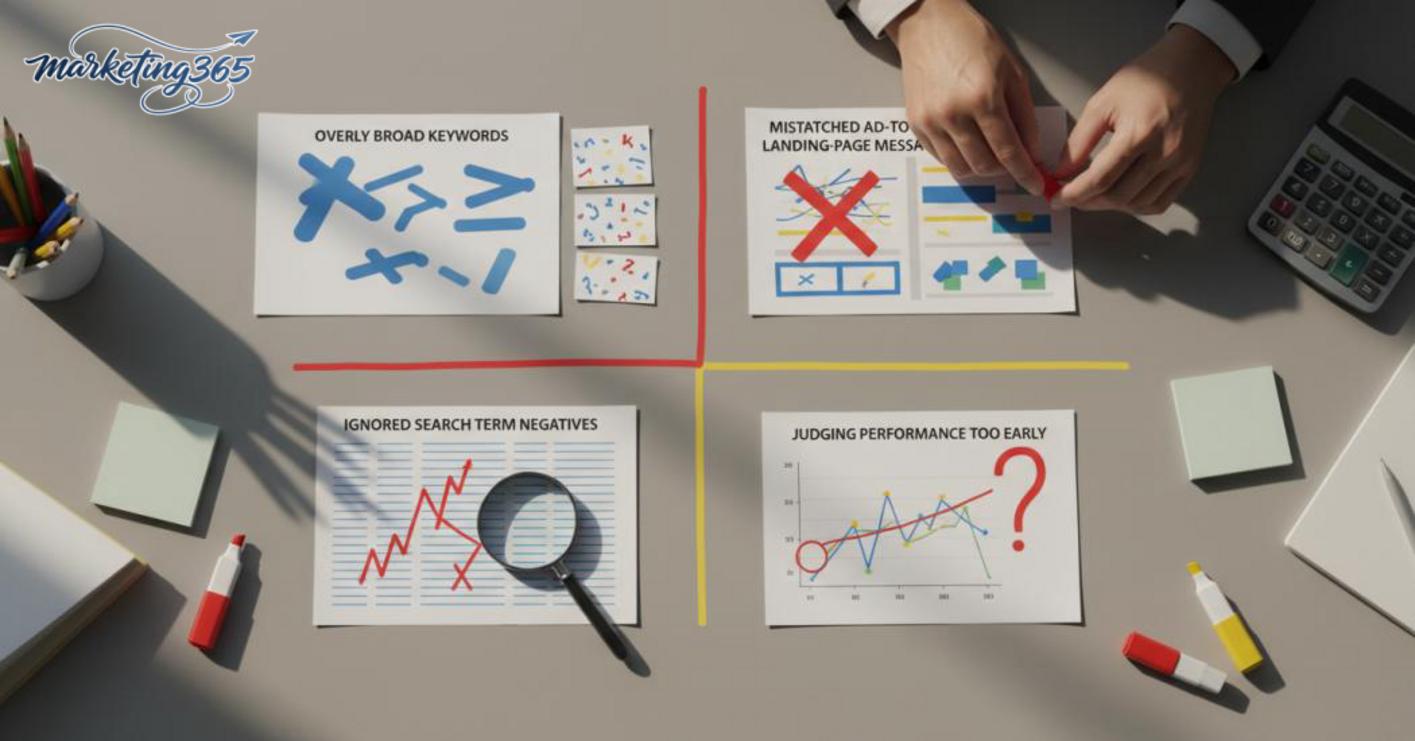
The mistakes that make Google Search ads ineffective usually fall into four areas: keywords, ad copy, search queries, and evaluation timing. Simply reviewing these four points can already reduce wasted budget and improve conversion rates significantly.
- Choosing keywords that are too broad
Broad keywords attract many clicks that do not match intent, especially when the keyword group lacks buying intent. For example, a furniture shop running the keyword “work desk” without separating by material, size, or price can easily waste money on research queries. The fix is to review the search terms report, then move to a keyword set that is closer to the need, such as “small wooden work desk” or “work desk for bedroom.”
- Ad copy that does not match the landing page
An ad headline that promises one thing while the landing page says something else will make users leave quickly. If the ad copy emphasizes “delivery in 2 hours” but the landing page does not show this information at the top, effective Google Search ads will drop immediately. Recheck the headline, USP, price, service area, and action button between the ad and the landing page.
- Ignoring search terms and negatives
This is a very common Google ad running mistake. Not adding negative keywords causes budget to be spent on irrelevant queries such as “free,” “jobs,” or “DIY.” At least every few days, open the search terms report, mark irrelevant phrases, and add negatives by group.
- Evaluating too early or looking only at CTR
High CTR does not necessarily mean sales. For a new campaign, you need enough conversion data before drawing conclusions, rather than stopping just because results are not visible after a few days. When measuring Google search ad performance, look at CPA, conversion rate, and lead quality as well, not just clicks.
Frequently asked questions about effective Google Search ads
Effective Google Search ads usually start showing signals after a few days to 2 weeks, but to conclude whether they are truly effective, you need enough conversion data. If you only run for 1–2 days and then stop, it is very easy to misjudge because the keywords, ad copy, and landing page have not had time to stabilize.
- If you see impressions but few clicks, review how you choose Google Ads search keywords and the ad headline.
- If you get clicks but no sales, check the landing page, form, calls, and how well the ad matches search intent.
- For a small shop, track at least 3 metrics: CTR, conversion rate, and cost per lead/order.
Do you need a new website to run ads? Not necessarily, but you still need a place where users can view information and take action. The landing page can be a website, a landing page, or another suitable page for receiving leads; what matters is that the content is clear, loads quickly, and has a visible call-to-action button. Without a website, tracking quality is usually worse and it is harder to optimize Google Search ads campaigns.
Why are there clicks but no sales or leads? It usually falls into three groups: choosing the wrong keywords, ad copy that promises too broadly compared with real demand, or a landing page that makes users leave too early. A common mistake is using keywords that are too general, for example sending someone looking for information straight to a sales page too soon. In that case, separate the keyword groups, rewrite the Google Search ad copy to better match search intent, and then check the form, load speed, and CTA button again.

A quick way to check is to review the search terms report, filter for phrases with buying intent, and remove queries that miss the target. This is an important part of measuring Google search ad performance, because clicks only matter when they are tied to real action.
For the latest official guidance, you can also refer to Google Search Central.
You can also find more hands-on marketing guides at https://marketing365.vn.
Content from marketing365 is built for SMEs, online shop owners, and new marketers.
You can read more articles on the same topic in the Performance Ads category.



