

Contents
- What is SEO-friendly WordPress post writing, and how is it different from regular content writing?
- Preparation before writing: define the keyword, goal, and article structure
- How to write the title, H1/H2/H3, and meta description so the post is understood correctly
- Optimize directly in WordPress: URL, images, internal links, and basic fields
- The SEO-friendly WordPress publishing process from draft to publish
- Common mistakes when writing SEO-friendly WordPress posts and how to avoid them
- When should you do it yourself, and when should you use professional support?
- Frequently asked questions about SEO-friendly WordPress post writing
If you’re a shop owner, SME, marketer, or website admin, SEO-friendly WordPress post writing starts with a clear process, not long theory. You need to check keywords, write the content, optimize the title, URL, meta description, images, and internal links directly in WordPress.
The goal of this section is to help you publish SEO-friendly WordPress posts yourself with specific steps. You’ll know what to fix first, what to leave for later, and how to avoid common mistakes such as titles that are too long, heavy images, or incorrect H1 H2 H3 tags.
If you manage an e-commerce or news website, you can apply this immediately to new posts or optimize older ones. This approach is suitable when you need content that is easy to read, technically sound, and better supported for search.
What is SEO-friendly WordPress post writing, and how is it different from regular content writing?
SEO-friendly WordPress post writing is a way of publishing content that matches search intent while also optimizing the structure and technical fields in WordPress so the post is easier to find. Unlike regular content, this type of post must handle the title, slug, meta description, images, and internal links at the time of publishing.
If you only write well but publish it like a normal article, the post may read well but still fail to generate traffic. The reason usually comes down to three things: the title doesn’t match the query, the structure is messy, and there are no supporting signals for search engines. When writing SEO-friendly posts in WordPress, the writer needs to think about both the reader and how the page is crawled.

What parts need to be optimized when writing SEO-friendly posts in WordPress?
The parts you need to touch include the WordPress SEO title, H1 H2 H3 tags in WordPress, the opening paragraph, the WordPress-friendly URL, the WordPress meta description, illustrative images, alt text, and internal links in WordPress. The title and URL directly affect how well the topic is understood; meta and alt text mainly support display, while internal links help guide both bots and readers to related pages.
A quick checklist when publishing an SEO-friendly WordPress post:
- Set a clear H1 without stuffing in too many keywords.
- Keep the slug short, readable, and true to the content.
- Write a concise meta description that reflects search intent.
- Compress images before uploading and add alt text that accurately describes them.
- Insert 1–3 relevant internal links to improve reading flow.
- Review the opening paragraph to make sure it answers the question correctly.
Why is good content still not necessarily SEO-friendly?
Good content can still fall short on SEO if the structure is messy, search intent is unclear, or the technical fields in WordPress are left blank. A post may be very easy to read but still be slow to index, lack internal links, have an overly long slug, or open with a roundabout introduction before addressing the actual need.
This usually happens when the SEO writing process stops at the copy. For example, a post may cover all the points but have an H1 that duplicates an H2, heavy images that slow the page down, or an opening paragraph that doesn’t immediately say what problem the reader will solve. To optimize a WordPress post, you need to review each point: structure, speed, links, and how well it matches the query.
Preparation before writing: define the keyword, goal, and article structure
Preparation before writing is the decisive step that keeps SEO-friendly WordPress post writing on the right track from the start. Once you’ve locked in the keyword, goal, and structure, you’ll reduce revisions, avoid going off-topic, and more easily optimize the WordPress SEO title, H1 H2 H3 tags in WordPress, the WordPress meta description, and internal links in WordPress.
How do you choose the main keyword and secondary keywords for a WordPress post?
The main keyword must stay tied to one topic, while secondary keywords only serve to support the semantics of SEO-friendly WordPress post writing. A post should have 1 main keyword and 3-5 related secondary keywords, rather than collecting too many synonymous phrases that make the article feel diluted.
A safe approach is to prioritize keywords with clear intent. If readers need to write SEO-friendly posts in WordPress, don’t pull the article toward a broader topic like full website SEO. The phrase SEO-friendly WordPress post writing should only be used when it truly fits the context; otherwise, use natural variations such as WordPress post optimization or the SEO writing process.
How should the outline be arranged so it is easy to read and SEO-friendly?
A good outline helps each section answer one clear question and keeps the article deep enough without becoming fragmented. For SEO-friendly WordPress post writing, H1 should appear only once, H2 should be used for major sections, and H3 should only be used when one H2 needs to be split into 2-3 sub-branches.

The order to check before entering WordPress:
- Lock in one H1 that matches or is very close to the main topic.
- Group the main ideas into H2s according to the logic the reader will follow.
- Add H3 only when a main idea has multiple steps or cases that need to be separated.
- Each section should solve only one task, avoiding too many ideas in one paragraph.
For example, if the article includes a section on WordPress post optimization, that section should come after defining the keyword and goal, because the writer needs to know which user intent they are serving before arranging the content layers.
How to write the title, H1/H2/H3, and meta description so the post is understood correctly
To make the post easier to understand correctly, you need to adjust three areas in the WordPress editor: the SEO title, the H1/H2/H3 structure, and the meta description. Getting these three fields right makes the topic clearer, helps readers scan faster, and increases the chance of clicks.
What formula should you use for the WordPress SEO title?
The WordPress SEO title should reflect the topic accurately, be short enough to display fully, and be clear enough for readers to know what the post solves. A simple formula is: main keyword + benefit or differentiator + specific context.
For example, in a tutorial post, the title should show that you are talking about SEO-friendly WordPress post writing, not turn into a vague promotional line. If the title is too broad, such as “Great Tips for Your Website,” both readers and search engines will struggle to understand what the post is about.
When checking in WordPress, look at the title field first. If you’re using Yoast SEO WordPress or a similar plugin, distinguish clearly between the title shown on the page and the SEO title. A good title usually answers three questions: what is this post about, what is useful about it, and who is it for?
How should H1 H2 H3 tags in WordPress be arranged?
H1 H2 H3 tags in WordPress should follow a structure of one main idea, several smaller ideas, and should not be used just to make text bold. There should only be one H1, usually the main title of the post; H2 is used for each major content section; H3 appears only when an H2 has at least two sub-branches that need to be separated.

In many themes, H1 is automatically generated from the post title. So before editing manually, open the structure view or check the rendered code to avoid having two H1s on the same page. This mistake is fairly common when a writer enters a title and then adds another same-level heading at the top of the post.
A quick way to review is to read the post like someone scanning the content: if you can still understand the main ideas after skipping the body text, the heading structure is fine. If the H2s are placed randomly, rearrange them according to content logic rather than sentence length.
How do you write a meta description that is complete and can increase clicks?
The WordPress meta description should summarize the content accurately, state the main benefit, and give readers a reason to open the post. The length should be appropriate so it doesn’t get cut off, the sentence should sound natural, and it should not repeat the WordPress SEO title pointlessly.
When entering the description, write it like a short explanation for someone looking for exactly that problem. For example, if the post is a guide to SEO-friendly WordPress post writing, the meta description should clearly say what the article includes: how to set titles, divide H1/H2/H3, and write descriptions that increase clicks.
Quick checklist before saving:
- It mentions the post’s main topic correctly.
- It gives the reader one clear benefit.
- It does not repeat keywords too much.
- It reads naturally and doesn’t feel stuffed with keywords.
If you want to optimize a WordPress post in a way that is easy to understand from the start, these three fields must be consistent: the title must match the topic, the headings must be orderly, and the meta description must say exactly what the reader is about to get.
Optimize directly in WordPress: URL, images, internal links, and basic fields
Optimization directly in WordPress should follow this order: slug, images, internal links, then a final review before publishing. This helps the post read better, reduces post-publish fixes, and creates a stronger foundation for indexing.
How short should a WordPress-friendly URL be?
A WordPress-friendly URL should keep the core topic, enough for readers and search engines to recognize the content immediately. For a long WordPress SEO title, shorten the slug to 3–5 words, remove filler words like “the,” “how to,” and “why,” and avoid hard-to-read characters.
Quick method in the editor:
- Finalize the title first, then edit the slug while writing.
- Keep the main keyword or a close variation at the beginning of the slug.
- Use hyphens, not spaces or special characters.
- If the slug is already good, don’t keep changing it after publishing.
For example, a long slug like “/how-to-write-seo-friendly-wordpress-posts-for-beginners” can be shortened to “/seo-friendly-wordpress-posts.” This is both concise and on-topic.
What should you check when optimizing images in WordPress?
Optimizing images in WordPress means checking the file name, file size, alt text, placement, and how well the image supports the content before clicking publish. Heavy images or visuals that don’t match the content often slow the post down and reduce the reading experience.
Action checklist:
- Rename the file according to the image content instead of keeping the default camera name.
- Compress the image before uploading if the file is too large.
- Write alt text that accurately describes the image context, without keyword stuffing.
- Place the image where it actually helps illustrate the point, not just to fill space.
- If the image is a chart, table, or interface screenshot, add a short caption directly below it.
A post with too many large images usually loads noticeably slower on mobile, especially when each image keeps its original size. So when publishing an SEO-friendly WordPress post, prioritize images that help explain the content rather than decorative visuals.
Read more: How to Write SEO-Friendly Posts on Your Phone for Beginners
Read more: How to Set Up Schema Markup on WordPress Correctly

Where should internal links be placed in WordPress so they feel natural?
Internal links in WordPress should be placed in sections where they are genuinely relevant, where readers need to go deeper or need a foundational article to continue understanding. Good internal links guide navigation without disrupting the reading flow.
How to insert them naturally:
- Add a link when you mention a concept that needs further explanation.
- Prioritize linking to foundational posts, deeper explanations, or relevant conversion-focused articles.
- Each paragraph should only need 1 link if the content is already dense enough.
- Don’t stack too many links in the same paragraph, as that reduces trust.
An SEO-friendly WordPress post is often more effective when links appear exactly where readers are about to need more information. After inserting them, read the whole article again like a real user: if a link breaks the sentence flow, remove it or move it.
The SEO-friendly WordPress publishing process from draft to publish
The SEO-friendly WordPress publishing process should move from content completion to technical checks, and only then to publishing and post-publication review. Following this order helps reduce heading, meta, image, and mobile readability issues.
- Finish the content before touching the SEO fields: review the information, wording, CTA, and visuals. If the content is still missing ideas, don’t rush to optimize the title or slug because you’ll end up revising them repeatedly. At this stage, just make sure the post is complete, has no repeated sections, and each main idea has its own paragraph.
- Check the heading structure: there should only be one H1, H2 should divide the main ideas, and H3 should be used for sub-ideas. For a tutorial post, quickly scan the full outline to see whether any section jumps levels, for example an H3 placed directly under an H1. If H1 H2 H3 tags in WordPress are used incorrectly, the post becomes confusing for both readers and search engines.
- Optimize the SEO fields: fill in the SEO title, meta description, short slug, featured image, and necessary internal links. The Yoast SEO checklist often points out basic issues such as titles that are too long, missing keywords, or meta descriptions that aren’t clear enough. This is the stage to adjust the WordPress-friendly URL and optimize images in WordPress so the post is clean from the start.
Checklist before publishing a WordPress post
- Only one H1, with H2/H3 at the correct levels.
- The SEO title includes SEO-friendly WordPress post writing.
- The meta description is complete and not cut off.
- The slug is short, readable, and free of extra characters.
- The image is compressed and has appropriate alt text.
- There are internal links in WordPress placed naturally.
- Spelling, punctuation, numbers, and CTA have been checked.
- Preview on mobile to avoid layout breaks.
What should you check after publishing to avoid basic errors?
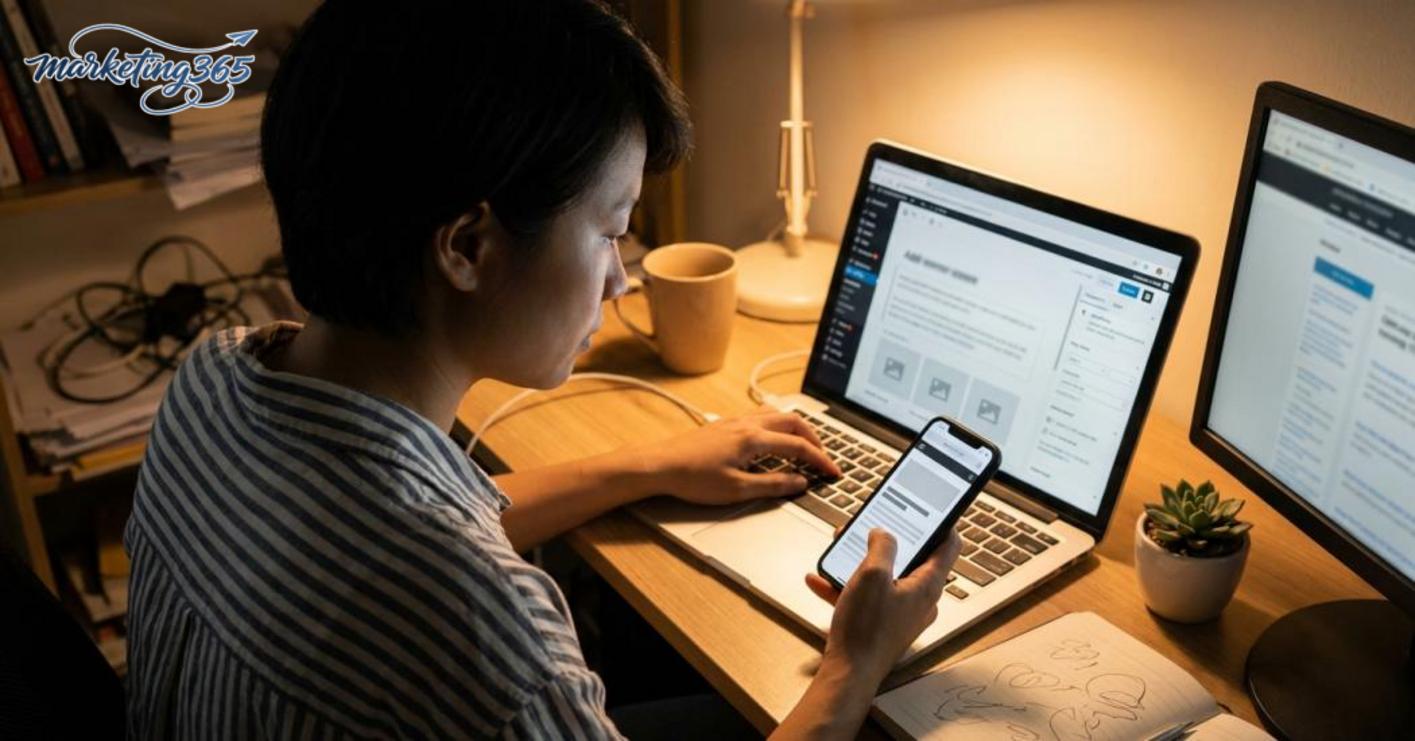
After clicking publish, check the live display on both desktop and mobile right away to catch broken headings, images that don’t load, or incorrect internal links. In some themes, the opening section looks fine on desktop but becomes misaligned or loses spacing on mobile.
- Open the post in incognito mode and check the live URL.
- Click each internal link to make sure none return 404.
- Check that the image, caption, and meta excerpt display correctly.
- Review the title, slug, and description in the share result if available.
- Record any errors and fix them immediately, especially when optimizing a WordPress post that has just been published for the first time.
Common mistakes when writing SEO-friendly WordPress posts and how to avoid them
SEO-friendly WordPress post writing usually goes wrong in three places: keyword stuffing, messy structure, and missing technical optimization. If you fix these in the right order, the post will be easier to read, easier to scan, and less likely to have issues when publishing SEO-friendly WordPress posts.
Keyword stuffing makes the post feel unnatural
Keyword stuffing makes the writing awkward, breaks the reader’s rhythm, and makes it harder for Google to understand the main focus. For example, if the phrase “SEO-friendly WordPress post writing” appears in almost every sentence, the paragraph will feel heavy and unnatural right away.
The way to avoid this is to place the keyword in the title, opening paragraph, and a few suitable spots in the body. Prefer variations like “writing SEO-friendly posts in WordPress,” “WordPress post optimization,” or “WordPress SEO title” when the context fits. A quick trick is to read a 2–3 sentence paragraph aloud; if it sounds repetitive or awkward, you should cut one keyword mention.
Using headings and paragraphs in a messy way
A messy structure makes H1 H2 H3 tags in WordPress lose their guiding role and prevents readers from scanning the main ideas. A common mistake is letting one H2 hold too many ideas, then breaking H3s into tiny fragments by sentence instead of by issue group.
The fix is to keep one H2 for one major idea, let each H3 handle one clear branch, and make each paragraph contain only one main idea. For example, in a 1,200-word article, you could divide it into 3 major H2s, each H2 with 2 H3s, and each paragraph with only 2–4 sentences. When reviewing, if a paragraph has to be read twice to make sense, split it up or move one idea to another H3.

Ignoring basic technical optimization in WordPress
Many posts look fine but are still weak because the slug is long, images are heavy, alt text is missing, or internal links in WordPress are too few. These issues directly affect speed, content understanding, and the mobile experience.
The way to avoid this is to check the WordPress-friendly URL, compress images before publishing, add alt text that accurately describes the image content, and fill in the WordPress meta description completely. For example, a URL like “/seo-friendly-wordpress-posts” is usually clearer than “/post-no-12-04-05-2026”. For longer posts, insert 2–4 contextually relevant internal links, then open the page on a phone to see whether the title, images, and opening paragraph break awkwardly. If a post loads slowly or looks cluttered on a small screen, SEO performance often drops very quickly.
When should you do it yourself, and when should you use professional support?
You can handle the basics yourself when the website is small, has few posts, and the structure is simple; but when you need to optimize many posts, have a multi-level category site, or have already done things correctly without seeing results change, it’s better to get help from someone experienced. With SEO-friendly WordPress post writing, the right decision usually depends on the scale of the work and how measurable the results are.

Signs that a post needs to be optimized again
A post needs re-optimization when it has low views, short time on page, high bounce rates, or empty SEO fields. Another sign is that the post has already been published as an SEO-friendly WordPress post, but traffic is still unstable, especially when the WordPress SEO title and WordPress meta description don’t match search demand.
Quick review checklist:
- The post has a long opening but doesn’t get to the point.
- H1 H2 H3 tags in WordPress are messy or out of order.
- The WordPress-friendly URL doesn’t clearly show the topic.
- WordPress image optimization was done carelessly, with heavy images or missing alt text.
- Internal links in WordPress are too few, leaving the post isolated.
What criteria should you use to decide whether to do it yourself or get extra support?
Doing it yourself is suitable when you have few posts, a clear SEO writing process, and time to review each item in Yoast SEO WordPress. When you need to optimize a large number of WordPress posts, a website with many categories, or you don’t have enough staff to measure consistently, professional support will save more effort.
You can do it yourself if:
- You only need to edit 1–5 important posts.
- The website is simple and has few technical constraints.
- You can identify SEO writing errors and fix them using a checklist.
Consider extra support if:
- Many posts have content but still don’t generate stable traffic.
- The same mistake keeps appearing across multiple posts.
- You need to standardize the entire SEO writing process and content structure.
Frequently asked questions about SEO-friendly WordPress post writing
SEO-friendly WordPress post writing does not require Yoast SEO, but this plugin helps you check the title, meta description, slug, and readability while drafting. If you haven’t installed a plugin yet, you can still optimize by setting the correct H1, dividing H2s logically, writing a short URL, and placing internal links in the right spots.

A WordPress post usually only needs 3–5 H2s if it is short, while a process-based article should add H3s for each step. When reviewing H1 H2 H3 tags in WordPress, make sure each H2 keeps one main idea and doesn’t repeat the meaning of the H1. For example, if an H2 is “Optimize the Title,” then H3s could be “Title Length,” “Main Keyword,” and “Click-Through Rate.”
You should optimize images and internal links for every post because both factors directly affect speed and navigation. The specific approach is to name image files meaningfully, for example “seo-friendly-wordpress-posts.jpg,” add alt text that accurately describes the content, and compress images before uploading to keep the file size under 200 KB if possible. For internal links, place them where they are truly relevant, such as linking from the article “SEO-friendly WordPress post writing” to “how to optimize SEO titles” in the section about titles, rather than placing links mechanically in every paragraph.
You should adjust the title, meta description, or slug after a post is published if CTR is low, the title is too long, or the URL contains extra characters and the keyword sounds unnatural. A safe way to fix it is to change the slug to a shorter form, for example from “/bai-viet-2024-cach-viet-bai-chuan-seo-wordpress/” to “/seo-friendly-wordpress-posts/”, then update internal links and check the 301 redirect to avoid 404 errors. In Google Search Console, review the performance report before and after the change to see which adjustment generates better clicks.
For the official and latest guidance, you can also refer to Google Search Central.
Related articles
- Redirect 301 Error: How to Check and Fix It
- How to Create a Sitemap for Wordpress Correctly and Easily Check It
- How to Optimize SEO-Friendly URLs for a Website
You can find more practical marketing guides at https://marketing365.vn.
Content from marketing365 is created for SMEs, online shop owners, and new marketers.



