
Contents
- The only symptom was TTFB; everything else was green
- Measured again today: the same homepage, nearly a full second apart
- Root cause 1 — a wp-cli command run as root left the cache directory owned by root
- Root cause 2 — even after chown, it was still not fixed because the preload queue had run dry
- The mobile version is a separate cache file, and curl -I does not see it by default
- Check your own site in two minutes
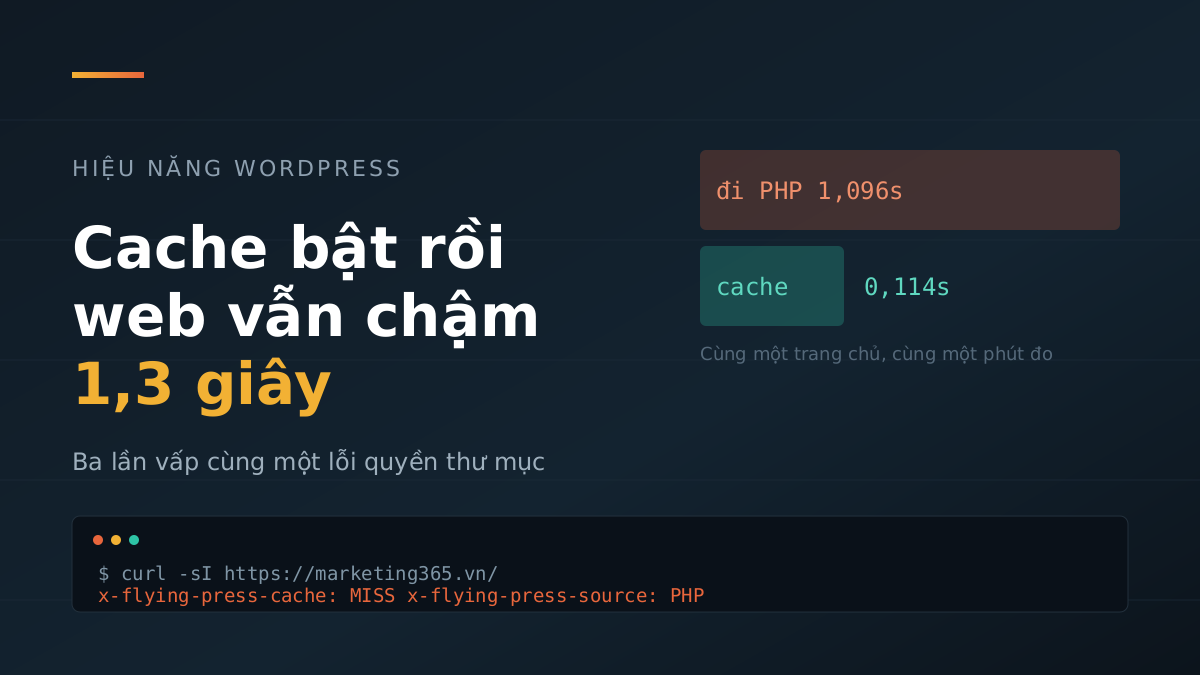
On 22/07/2026, marketing365.vn had the cache plugin enabled, the configuration was correct, pages returned HTTP 200, the Docker container was running normally, and n8n was all green. No warnings at all. Yet every visitor to the homepage had to wait for PHP to rebuild the page from scratch, taking 1.24–1.4 seconds before receiving the first byte.
We ran into this exact issue three times in three weeks — 22/07, 31/07, and 13/08 — before accepting that it was not an isolated incident. This article records the real measurements from each occurrence, the two independent causes behind it, and one place we thought had been fixed but actually had not.
The only symptom was TTFB; everything else was green
On 31/07, the starting question was simply, “is the site okay?” Running curl against the homepage showed these two lines:
x-flying-press-cache: MISS
x-flying-press-source: PHP
That was the entire clue. MISS means the plugin did not find a cache file for this URL. source: PHP means WordPress had just rebuilt the page from scratch — database queries, theme execution, plugin execution — for that one visitor, and then would do it again for the next one.
TTFB that day: 2.15 seconds on desktop, 1.15 seconds on mobile. Aside from that number, there were no other symptoms. HTTP 200. SSL still valid. Container Up. Clean error logs. Uptime monitor stayed silent. This is the most annoying kind of failure: the site still works, just slowly.
No one could even pin down when it broke. The cache directory mtime was 27/07 at 16:26 — it had been silently dead for four days, and no one knew.
Measured again today: the same homepage, nearly a full second apart
To see the real gap rather than an old number copied from notes, we measured again at 14:28 on 14/08/2026, running directly on the VPS hosting the site. Measuring from another machine would add network latency and blur the exact number we needed to see.
$ curl -s -o /dev/null -w '%{time_starttransfer}n' https://marketing365.vn/
0.110954
0.114187
0.119422

$ curl -s -o /dev/null -w '%{time_starttransfer}n' 'https://marketing365.vn/?nocache=1'
1.436732
1.000849
1.096178
FlyingPress bypasses cache when the URL has an unusual query param, so ?nocache=1 is a way to force a request straight through PHP without having to clear the entire site cache for real. Using the same trick on a single post gave 0.106 seconds with cache and 0.984 seconds without.
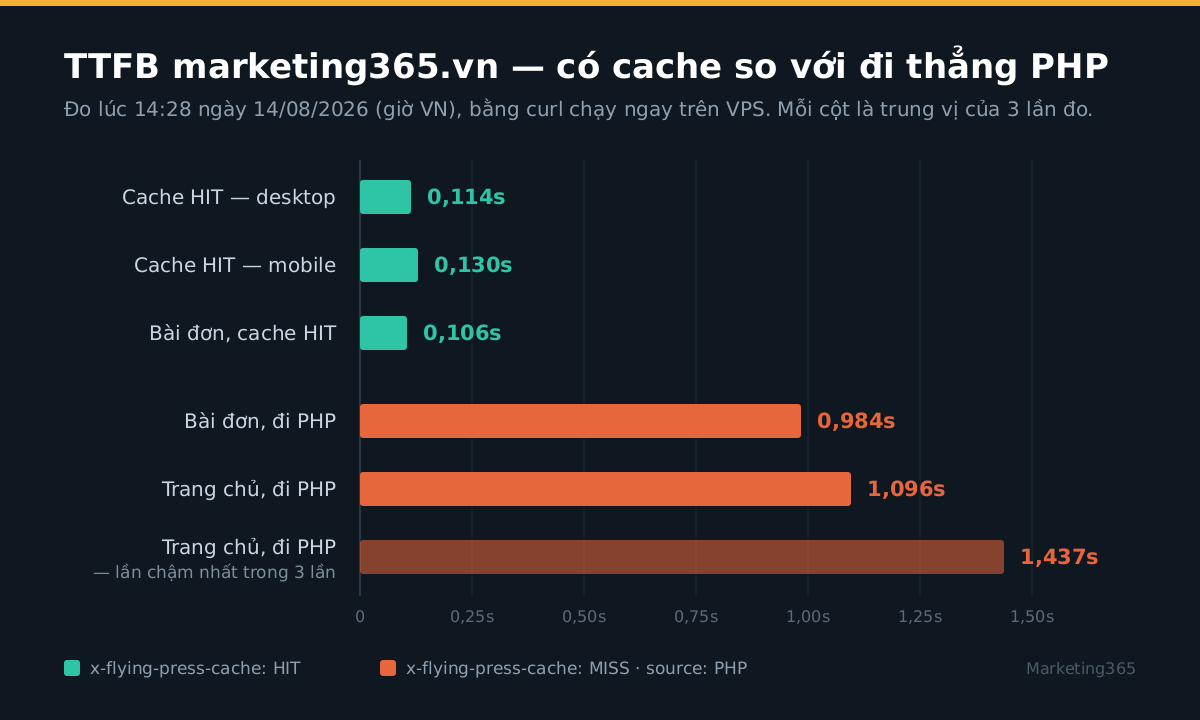
?nocache=1.The gap was 0.87–1.32 seconds, on the same machine, within the same minute. This is the time every visitor pays if the cache breaks, and it adds directly to FCP and LCP before the browser even has time to load the first line of CSS.
Root cause 1 — a wp-cli command run as root left the cache directory owned by root
$ docker exec mna_wp ls -ld /var/www/html/wp-content/cache/flying-press
drwxr-xr-x 2 root root 4096 Jul 27 16:26 /var/www/html/wp-content/cache/flying-press
PHP runs under the www-data user. A directory owned by root with 755 permissions means www-data can read it but cannot write to it. The plugin still works, still tries to write cache, the write fails, and not a single log line appears.
Why did the directory change ownership? Its mtime matched the exact minute we ran the purge command:
docker exec mna_wp wp eval 'FlyingPressPurge::purge_everything();' --allow-rootPurge deletes the directory and recreates it. It is recreated under the permissions of the process running it — and --allow-root means root. It was not the plugin’s fault; it was ours.
What is notable is that the same mechanism bit us elsewhere on this very site: wp media import --allow-root left the uploads/YYYY/MM directory owned by root, which then broke later image uploads. At the time we treated it as a one-off case and did not turn it into a rule. If we had, we would not have lost four days to a dead cache.
The rule now lives in the checklist: after any wp ... --allow-root command that creates files or directories, restore permissions and verify them.
docker exec mna_wp chown -R www-data:www-data
  /var/www/html/wp-content/cache/flying-press
Root cause 2 — even after chown, it was still not fixed because the preload queue had run dry
Read more: 11 Days Fixing the Wrong Thing Because of a Bad Label
This is the part our 22/07 notes missed, and because it was missing, the 31/07 incident took another half hour to trace.
After chown, we manually primed two URLs and both HIT. At first glance, it looked done. But other URLs still MISSed, and the number of cached pages stayed stuck at 2. The reason was in the queue table:
$ docker exec mna_wp wp db query
    "SELECT COUNT(*) FROM wp_flying_press_queue;" --allow-root
0
Four days of failed cache writes had drained the preload queue. With no URLs left waiting, nothing could be regenerated. Fixing permissions only reopened the door; someone still had to line up and walk through it.
Refilling the queue did not require a purge — we opened src/Preload.php in the plugin and read it to be sure instead of guessing:
docker exec -u www-data mna_wp
  wp eval 'FlyingPressPreload::preload_cache();'
Notice -u www-data rather than --allow-root. If you run it as root, the very command meant to fix the problem will recreate the exact same problem you just fixed.
Result on 31/07: 3,004 URLs entered the queue, cached pages rose from 2 to 163, then increased automatically by about 25 pages per minute without manual intervention — the flying_press_queue_watchdog watchdog runs once per minute. Homepage TTFB dropped from 2.15 seconds to 0.11–0.16 seconds.
The measurement lesson here: seeing one URL HIT is not enough to conclude anything. You have to check whether the number of cached pages is actually increasing on its own.
The mobile version is a separate cache file, and curl -I does not see it by default
Our configuration has cache_mobile enabled, which means each URL stores two files: index.html.gz for desktop and index-mobile.html.gz for mobile. At the time of writing, the site had 1,601 files of each type.
On 22/07, after chown, the homepage HIT on desktop but still MISSed on mobile, because only the desktop version had finished generating. We almost closed the case right there and moved on to something else.
curl -I does not send a mobile User-Agent, so it only asks for the desktop version. To verify both, you have to test both:
MOB="Mozilla/5.0 (Linux; Android 11; moto g power) AppleWebKit/537.36
Chrome/149 Mobile Safari/537.36"

curl -sI https://marketing365.vn/            | grep x-flying-press
curl -sI -A "$MOB" https://marketing365.vn/  | grep x-flying-press
This is the easiest kind of measurement error to make when checking cache: the tool answers exactly the question you asked, but you asked with half the picture missing. If you are checking WordPress website load speed, include a mobile User-Agent from the very first measurement — the mobile side is almost always the slower side.
Check your own site in two minutes
Three commands, run in the correct causal order: directory ownership, then cache files, then the queue.
# 1. What do the headers say? (remember to test both User-Agents)
curl -sI https://your-site.com/ | grep -i x-flying-press

# 2. Who owns the cache directory, and how many files are there?
docker exec mna_wp ls -ld /var/www/html/wp-content/cache/flying-press
docker exec mna_wp find /var/www/html/wp-content/cache/flying-press
  -name 'index*.html.gz' | wc -l

# 3. Is there anything left in the preload queue?
docker exec mna_wp wp db query
  "SELECT COUNT(*) FROM wp_flying_press_queue;" --allow-root
How to read the results:
- HIT on both User-Agents, directory owned by
www-data, file count increasing → nothing to do. - MISS + directory owned by
root→ root cause 1. Chown it, then continue to the next step. - MISS + correct ownership but queue at 0 rows and file count stuck → root cause 2. Run
preload_cache()aswww-data. - MISS on two consecutive curl runs but the queue still has rows → normal, wait for preload to run. FlyingPress only runs the optimization pipeline for requests carrying the
X-Flying-Press-Preloadheader; regular visitors are only queued and then receive raw HTML.
The third time, on 13/08, we found it from a completely unrelated angle: while diagnosing slow Google indexing, we saw Googlebot taking 0.75–0.97 seconds TTFB, and tracing that led us back to the cache directory being owned by root again. When the server is slow, Google slows its crawl, and the backlog of unindexed pages grows. The symptom appears far from the two-layer cause.
Three times in three weeks means this was a recurring failure for us, not an incident. The check above is now fixed in the site’s health-check routine, run after every session that touches wp-cli.
Current numbers at publication time, 14/08/2026: cache directory owned by www-data, 1,601 desktop cache files and 1,601 mobile cache files, queue at 0 rows (fully drained, which is the normal state), homepage HIT on both desktop and mobile, TTFB 0.105–0.134 seconds.



