
Contents
- How significant is the difference between Canva Pro and Canva Free?
- Design feature differences: which one helps you work faster?
- Where do Canva Free limitations become a problem?
- Is Canva Pro worth the cost and benefits?
- Should you choose Canva Pro or Canva Free based on real needs?
- What should you check before upgrading to Canva Pro?
- Frequently asked questions about Canva Pro vs Canva Free
When choosing between Canva Pro and Canva Free, the key is to look at your actual needs. The free version is enough for basic use, while the paid version is more suitable when you do marketing regularly, need more resources, and work as a team.
This comparison focuses on easy-to-check criteria such as templates, resource libraries, editing features, file export, and collaboration. You can base your decision on usage frequency, the number of people working together, and how much image optimization you need to decide whether upgrading is worthwhile.
If you are considering comparing Canva Pro and Canva Free, start with the current needs of your shop, fanpage, or marketing team. The right choice is to compare each feature against real work, rather than looking only at advertising claims.
How significant is the difference between Canva Pro and Canva Free?
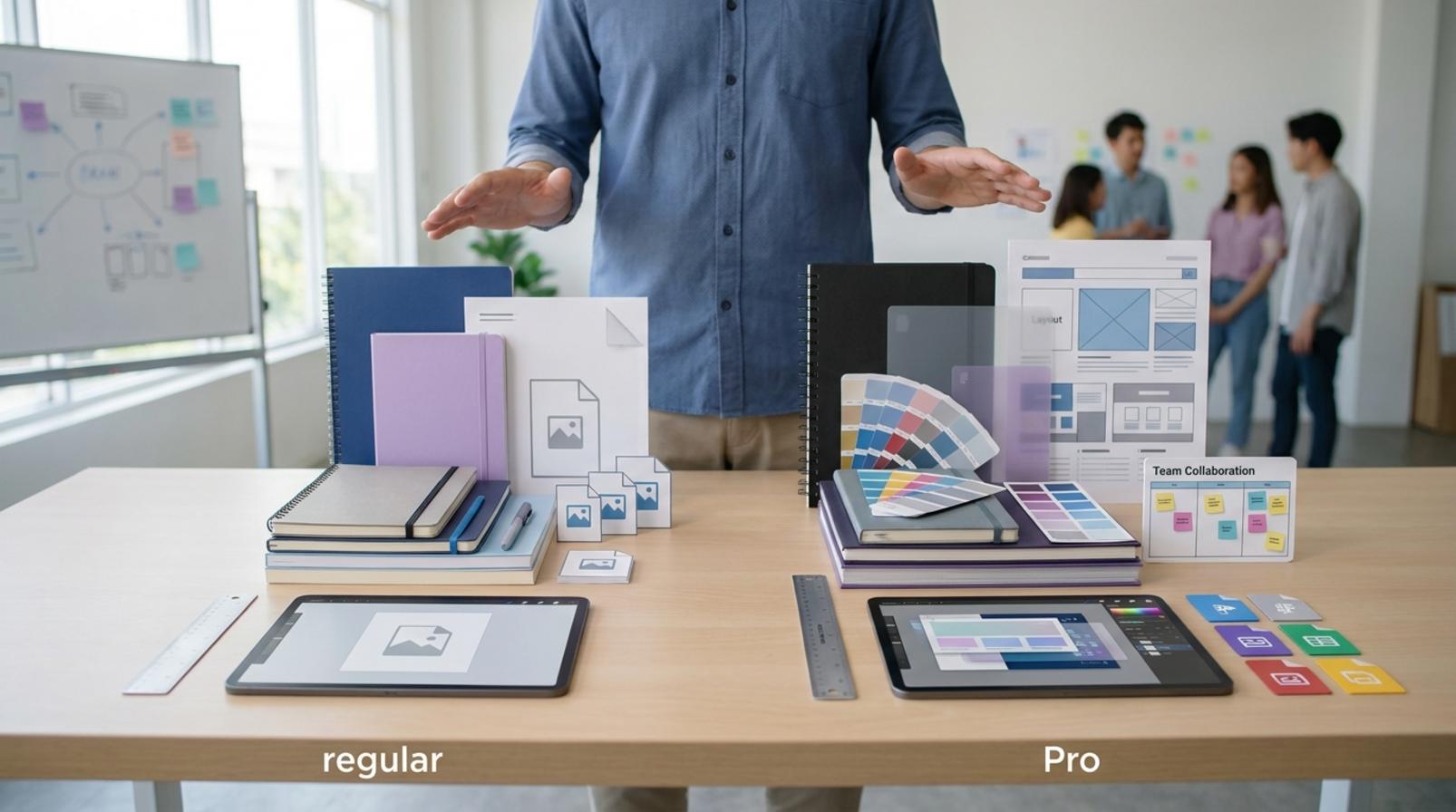
Canva Pro vs Canva Free becomes worth paying attention to when your needs move from basic design to regular content creation, brand consistency, and time savings. Canva Free is the free/standard version; Canva Pro is the paid version with more resources, tools, and control. If you only create a few simple assets, the free version is enough. If you do marketing, online selling, or manage a fanpage every week, the difference will come down to four areas: resource library, download/export limits, work-support tools, and speed of completion.
When is Canva Free enough?
Canva Free works well for basic design needs, especially when you create short-term posts, make few revisions, and do not rely heavily on premium assets. For example, a one-off promotional post, a simple banner, or an internal asset usually does not require advanced features. For basic design needs, you can try the tool first and then decide whether to upgrade.
- Create 1–3 standalone assets without needing a consistent brand system.
- Use ready-made templates and make simple text and image edits.
- Do not need to search for too many premium photos, icons, or backgrounds.
- Only need basic file export for social media posting or simple printing.
When is Canva Pro a better fit than the free version?
Canva Pro is more valuable when you create content consistently, need to keep brand visuals consistent, and want to reduce the time spent searching for templates, images, and elements. For small teams, saving colors, fonts, and standard layouts makes each design round require less rework from scratch. Comparing the Canva Pro template library with Canva Free also shows that Pro is a better fit if you need more options and less template duplication. Whether you should upgrade from Canva Free to Canva Pro often depends on how frequently you work: the more assets you create each month, the more noticeable the difference becomes.

- You need a consistent brand identity across multiple posts.
- You have to handle many files, many versions, and multiple rounds of edits.
- You want to save time on repetitive tasks.
- You need the extra Canva Pro resources and features to work faster.
Design feature differences: which one helps you work faster?
Canva Pro vs Canva Free shows that Pro helps you work faster by reducing the need to build everything from scratch, especially when it comes to finding resources, batch editing, and keeping brand assets consistent. When you need to produce many assets each week, the biggest advantage is spending less time searching through templates, copying colors, changing fonts, and exporting again and again.
Templates, photos, and elements: how is Pro different from Free?
Canva Pro’s biggest advantage is its library of ready-to-use templates, photos, icons, videos, and elements. For people creating social posts, banners, or thumbnails, Pro usually makes it easier to find a template closer to the need, shortening the design process from the start. Canva Free is still enough for simple content, but when you need to keep many assets consistent, comparing the Canva Pro template library with Canva Free shows that Pro reduces the need to combine materials from multiple outside sources.
A common scenario is creating an ad series. In the free version, you often have to repeat alignment steps for each page; in Pro, you only need to replace the content within the same template frame, which is faster. This is why Canva Pro vs Canva Free should be judged by production speed, not just the number of resources.
Which editing and brand management tools are most valuable?
The biggest value of Canva Pro compared with Canva Free lies in the brand kit, reusable layouts, and internal collaboration. Once you save your logo, colors, fonts, and standard templates, content creators can open a file and reuse it immediately, reducing brand inconsistencies across posts.
If you work for a fanpage or a small team, brand management matters more than having a few extra attractive templates. What Canva Pro offers beyond the free version is process standardization: open a template, replace the content, apply the color set, export the file. For Canva for business or teams that post regularly, this is the biggest time saver because it reduces back-and-forth edits among team members.
Where do Canva Free limitations become a problem?
Canva Free limitations become most noticeable when you start doing repetitive work, need more resources, and need to export files consistently. When one template, one font, or one image set is no longer enough for a full week of content, the free version will make you spend more time on manual edits and repeated checks.
When do download or export limits become an issue?
Download or export limits become an issue when you need multiple formats for the same design and have to re-export repeatedly. As soon as one file has to be changed from a square post to a story, then to a banner, the workflow slows down noticeably if each step must be handled manually.
Common signs:
Read more: Simple Marketing Image Design App for Beginners
- Each channel needs a different version of the same design.
- You have to download, edit, and export again multiple times a day.
- You work with a team or clients, but every revision requires sending the file again.
Signs you need Pro instead of trying to keep using Free
You should consider Pro when the free version starts slowing down your content workflow instead of helping you save time. If every week you have to search for templates again, replace images manually, and sync colors by hand, that is when Canva Free has reached its limit.

Self-check checklist:
- You frequently lack suitable resources for the same campaign.
- You spend time making repeated edits for each post or each client.
- You need to sync logos, colors, fonts, and layouts across many files.
- You create content on a fixed schedule, but layout work still depends on manual steps.
- You are unsure whether to keep working with the free version or upgrade your Canva Free account to Canva Pro in a way that saves more effort.
If you meet three or more of these signs, the question of whether to upgrade from Canva Free to Canva Pro is no longer “Will it look better?” but “Will it reduce operating time?”
Is Canva Pro worth the cost and benefits?
Canva Pro vs Canva Free should be judged based on real usage, the number of people working together, and the time you spend on repetitive tasks. If every week you have to edit the same brand system, resize multiple versions, or manage content for multiple channels, Pro is usually worth considering because it reduces manual work and keeps templates consistent. On the other hand, if you only create a few simple assets, the free version is still enough.
Who will find Canva Pro more worth the money?
Canva Pro is for people who need to produce content consistently and keep branding unified. Shop owners running frequent promotions, marketers handling multiple campaigns, fanpage admins posting daily, or small teams sharing design templates will see the benefits of Canva Pro more clearly. When the same file has to be adjusted for multiple sizes, multiple users, and multiple content versions, Pro helps reduce color, font, and logo inconsistencies.
An easy sign is this: if you spend a lot of time copying an old template and then changing each detail, then the cost and benefits of using Canva Pro usually tilt in your favor. For small businesses using Canva to scale content, having a private template library and a smoother workflow is often more valuable than the feeling of “paying for extra features.”
Who may not need to upgrade yet?
Users who design infrequently, only create simple assets, or do not yet have a fixed content schedule can continue using Canva Free. If you mainly edit one poster, one thumbnail, or a few test posts each month, whether to upgrade from Canva Free to Canva Pro is not yet an urgent question. The free version is still enough to test ideas and assess your real needs.

This group usually does not need to upgrade yet when there is no brand system, no team collaboration, and no issue with visual consistency. A quick check is to look back at the last 2–4 weeks: if the number of files is small, you rarely need multiple versions, and there is no pressure to publish content consistently, then staying on the free version a little longer is safer.
Should you choose Canva Pro or Canva Free based on real needs?
If you only create basic content or edit images occasionally, Canva Free is enough. You should only upgrade when you start losing time because of missing templates, missing folders, missing brand assets, or the need to coordinate multiple people in the same workflow.
If you only create basic content, which version should you choose?
Canva Free is best suited for people making simple posts, small banners, study slides, or assets used only a few times per month. For this need, Canva Pro vs Canva Free usually leads to a clear conclusion: the free version is enough to get started, test ideas, and keep costs at zero.
Signs you should stay on the free version include rarely needing multiple exports, not needing to save many templates, and not being held back by limited resources. If a design is only revised a few times before posting, the free version usually does not create workflow bottlenecks.

If you do marketing, sales, or fanpage management, which version should you choose?
Canva Pro is for people who create content regularly, need consistent branding, and handle many assets each week. For this group, the Canva Pro features compared with Canva Free create a clear difference in work speed, template management, and design consistency.
A small team running a fanpage, ads, or sales content often needs to reuse fonts, colors, logos, and layouts that are almost fixed. In that case, what Canva Pro offers beyond the free version is not “better-looking designs,” but fewer repetitive tasks and fewer brand inconsistencies.
For example, when you need to create a series of promotional posts, video covers, posters, and sales slides within the same campaign, Pro is usually a better fit because it keeps everything consistent more easily. If you are using Canva for business or a team with multiple people editing files, Pro should be the priority for better asset management and smoother collaboration.
Read more: Top Team Task Management Software Worth Considering
| Need | Recommended version | Reason |
|---|---|---|
| Personal use, low demand | Canva Free | Enough for basic design, little extra management needed |
| Regular sales content | Canva Pro | Saves time, easier to reuse templates |
| Small marketing team | Canva Pro | Better for collaboration and brand consistency |
| Business with a brand identity system | Canva Pro | Reduces color, font, and layout inconsistencies across assets |
What should you check before upgrading to Canva Pro?
Before upgrading, check whether your current needs truly exceed what the free version can handle. For many small shops, the issue is not buying a Canva Pro account but not fully using the available features, so you should define your goal clearly before subscribing to Canva Pro.
What information should you check before upgrading?
First, define the purpose of use: do you need social media content, printing, or brand identity consistency? If you only edit a few simple templates each week, weigh whether to upgrade from Canva Free to Canva Pro by comparing work frequency, the number of participants, and how much you need synchronized templates.
Quick checklist:
- Is the usage goal clear?
- How many people need access at the same time?
- Do you need to share a valid account?
- Do you need fixed brand fonts, logos, and colors?
- Is the operating budget enough to maintain it long term?
If the answer is mostly “only occasionally,” the free version is usually enough. If the team has to publish content consistently, maintain brand consistency, and often needs more templates, Canva Pro vs Canva Free will show that the upgrade is worth considering.

When should you seek professional support instead of handling it yourself?
You should seek professional support when your needs go beyond a personal account, especially when you need to manage many design assets and assign permissions to a team. This is the point where Canva for business, workflow, and account security need to be considered together.
Signs you should stop handling it yourself:
- You need to sync logos, colors, and templates for multiple people.
- You have to manage digital channels through a clear process.
- You keep making repeated mistakes that could disrupt the account structure.
- You want to control access rights instead of sharing casually.
When these cases arise, professional support helps reduce risk and avoids paying for something you still do not use according to your actual needs.
Frequently asked questions about Canva Pro vs Canva Free
Canva Pro is worth considering when you need to work consistently, need more templates and resources, and want better brand control. If you only create simple posts, few assets, and use it only occasionally, Canva Free is usually enough.

- What does Canva Pro offer beyond the free version? The most obvious differences are a larger resource library, more premium templates, and more convenient design management features. When working on a fanpage or a shop’s brand identity, the time savings often come from not having to realign each layout manually.
- Should you upgrade from Canva Free to Canva Pro? You should upgrade when you need to publish content regularly, run multiple campaigns, or keep colors, fonts, and logos consistent for multiple people working together. If you only edit a few simple assets each week, there is no need to rush.
- What is the difference between a Canva Free account and Canva Pro? Free is suitable for individual users or basic needs. Pro is better when you need to work faster, want to reduce manual editing, and want to avoid using mismatched resources.
- Who is Canva Pro for? The best-fit users are shop owners, marketers, fanpage admins, and small teams that need to produce designs quickly while keeping consistency. If you are only learning basic design, the free version is still a reasonable starting point.
- How do you upgrade a Canva Free account to Canva Pro? Go to the service plan section in your account, choose upgrade, and check the billing cycle and number of users if you need team collaboration. Before confirming, review the templates you are currently using to avoid unwanted changes after switching plans.
- What stands out when comparing the Canva Pro template library with Canva Free? Pro’s template library is usually more diverse for advertising, social media, presentations, and brand identity. Free is still usable, but when you need to choose quickly among many variations, Pro is often more time-efficient.
If you are still unsure, decide based on three questions: do you use it regularly, do you need brand consistency, and are you getting stuck on repetitive editing? Once you answer those three clearly, you will know whether to stay on the free version or move to Pro.
For official and up-to-date guidance, you can also refer to materials from Think with Google.
Related articles
- Customer Feedback Collection Tools: How to Choose the Right One
- Collecting Customer Phone Numbers from Facebook: Risks and the Right Way
- CRM Software for Small Businesses: How to Choose the Right One
You can find more practical marketing guides at https://marketing365.vn.
Content from marketing365 is created for SMEs, online shop owners, and new marketers.
You can also read more articles on the same topic in the Martech Tools category.



