

Contents
- What is inventory management for a small shop, and why do small shops get it wrong so easily?
- How to set up a minimum inventory management framework for a small shop
- What order should stock-in, stock-out, and stock checks follow?
- Set a minimum stock level to avoid running out mid-cycle
- Should a small shop manage inventory with Excel or software?
- How to reduce inventory losses for retail stores and small online shops
- Common inventory management mistakes small shops should avoid
- A 7-day rollout plan to stabilize inventory in a small shop
- Frequently asked questions about how to manage inventory for a small shop
Small shop owners are often not short on stock because sales are slow, but because the numbers are off due to delayed updates on stock in and out, late order closing, or forgotten stock checks. When selling on Shopee, TikTok Shop, or through an online store, even a few wrong SKUs can easily lead to out-of-stock items, late deliveries, or excess inventory that ties up capital. That is why how to manage inventory for a small shop does not need to be complicated, but it must have a minimum process to know which items are still available, which are about to run out, and when to check stock. This content focuses on simple methods you can apply right away, even if you only use Excel or manual notes.
What is inventory management for a small shop, and why do small shops get it wrong so easily?
How to manage inventory for a small shop means recording, tracking, and reconciling stock quantities so you sell the right items, know what is about to run out, and avoid discrepancies between marketplace stock and actual warehouse stock. For a small shop, the goal is to control the minimum data needed for sales, not to build a cumbersome system.

Small shops usually make mistakes because they lack a process, not because they lack people. One order not deducted from stock, one incoming shipment not recorded immediately, or one skipped stock count is enough to create inventory discrepancies. For example, the file still shows 3 shirts, but in reality they have already sold out; the result is that the shop still accepts the order and then has to cancel it or switch styles.
When does a small shop need proper inventory management?
A small shop needs proper inventory management when discrepancies happen repeatedly and can no longer be kept in your head. The clearest signs are having more than 20–30 SKUs, selling across multiple channels, or having several people touch orders and incoming stock each day.
You can identify the need for inventory management with four questions: how much stock is left today, which items are about to run out, which orders have been confirmed but not yet deducted from stock, and which batches have been received but not yet entered into the system. If you cannot answer these within a few minutes, manual inventory management has already become risky.
How to manage inventory for a small shop in 3 simple steps
- Record stock in and out as soon as it happens. Use a Google Sheets file or software such as KiotViet, Sapo, or Haravan to update on the same day. Each row should include the SKU code, item name, quantity received, quantity sold, and remaining quantity.
- Close stock counts every day or at the end of each shift. If the shop handles 50 orders/day or more, reconcile at least once a day. When the number in the file differs from actual stock by more than 2–3 units, stop selling that item and check it.
- Perform periodic stock checks by product group. For a small shop, you can count all stock once a week or split it by ABC: fast-moving items checked every 2–3 days, slow-moving items checked every 2 weeks.
For example, an accessories shop uses Google Sheets with 150 SKUs. Each sold order is deducted from stock immediately, and at the end of the day the owner closes the 10 best-selling SKUs. After 2 weeks, the shop reduces sudden stockouts on fast-selling models.
What are the common consequences of poor inventory management?
Poor inventory management usually causes lost orders first, then financial losses and wasted effort. Items shown as available but already out of stock in reality will lead to cancellations, hurt credibility, and waste time handling issues.
After that comes slow-moving stock sitting too long, increasing capital pressure, while the seller does not know which items are truly profitable. The shop also has to spend extra time recounting stock, reconciling orders, and correcting inventory discrepancies instead of focusing on sales.
One way to reduce inventory losses for a retail store is to clearly separate two things: knowing how much stock is left and knowing which items are about to run out so you can act early. When these two pieces of information are merged into one, the shop is very likely to reorder too late, order too little, or hold too much slow-moving stock.
How to set up a minimum inventory management framework for a small shop
A minimum inventory management framework for a small shop should start with 4 layers of data: SKU, quantity received, quantity sold or issued, and remaining quantity. For shops with returns, damaged items, or reserved stock, add stock status from the start to avoid discrepancies when closing end-of-day inventory.
An Excel file or Google Sheets is enough at the beginning. For example, a TikTok Shop store selling 120 orders a day usually only needs 1 stock-in sheet, 1 stock-out sheet, and 1 end-of-day reconciliation sheet. The important thing is that everyone uses the same item naming convention and the same calculation formula so the data does not drift when multiple people enter it.
Set the minimum columns for each SKU
Each SKU should have these columns: SKU code, standard item name, variant, unit of measure, opening quantity, quantity received, quantity sold, quantity returned, quantity damaged, actual stock, storage location, and sales channel. For a small clothing shop, one shirt style should be recorded consistently as “AO-TN-OVR-001” instead of sometimes “oversized T-shirt” and other times “oversized tee.”
This setup makes it easier to filter history quickly in Excel using filters or the XLOOKUP function. If you later use KiotViet, Sapo, or Google Sheets connected to a stock-in form, the column structure stays the same, so you will not need to change much.
Set up the stock-in, stock-out, and closing process in 3 steps
Step 1: Record incoming stock in a separate sheet with 3 required fields: date received, SKU code, and quantity received. If the SKU code is missing, do not allow it to be recorded in inventory, because this is the mistake that most often causes discrepancies when a shop has many variants.
Step 2: When selling or issuing stock, only deduct inventory after the order has been confirmed. For example, a 5-shirt order on Shopify or TikTok Shop that is still waiting for pickup should not yet be deducted from final stock, while an order that has been successfully delivered should be recorded in the quantity sold column.
Step 3: At the end of the day, one person reconciles the numbers between the sheet and actual stock. If the difference is 1 to 2 items, the reason should be recorded immediately in the notes column, such as returns, damaged goods, or items moved to reserved stock. Do not manually edit old numbers without a log, because it will be difficult to trace during weekly stock counts.

Assign roles and operating rules to reduce errors in a small team
Inventory roles should be clearly divided into 3 roles: the person receiving stock, the person deducting stock, and the person reconciling at the end of the day. Only one person should have the authority to close inventory, while others may only enter data through a form or a sheet with formulas locked.
If the shop has 2 to 3 people working together, set a fixed time for changing order status, for example 21:00 every day. This helps the sales team and the warehouse team avoid updating at different times when orders spike in the evening. When applied consistently, the shop can more easily detect errors such as duplicate SKU entries, forgotten return deductions, or incorrect transfer quantities.
What order should stock-in, stock-out, and stock checks follow?
The stock-in, stock-out, and stock-check process for a small shop should follow this order: receive stock → update inventory → issue stock → deduct inventory → perform periodic stock checks → reconcile differences. Following this order helps inventory data match sales orders, especially when the shop has continuous online orders and multiple order statuses changing throughout the day.
What should be checked before incoming stock is put into the warehouse?
When receiving stock, you need to verify the quantity, correct item code, and separate defective batches before recording them in inventory. If stock is received but not updated immediately, inventory data can easily become inaccurate from the very first step.

- Compare the actual received quantity with the purchase order, counting by carton or by SKU.
- Check whether the item code, color, size, and packaging specification are correct.
- Immediately separate defective, missing, dented, or specially handled stock.
- Only update inventory after closing the approved portion; do not add the whole batch first and filter out errors later.
For clothing shops, one shirt code may differ only by size or color in a single variant. If the wrong variant is entered, it will be difficult to find the cause of the discrepancy during later stock checks.
When issuing stock for online orders, how should inventory be deducted to avoid discrepancies?
When issuing stock for online orders, deduct inventory only when the order has been reserved or confirmed, not when it is newly created. This reduces double-selling when multiple channels generate orders at the same time.
- Newly created order: do not deduct stock yet if it is still waiting for payment or confirmation.
- Order pending processing: reserve stock temporarily if the system has this status.
- Completed order or stock issued: deduct inventory officially.
- Cancelled or returned order: add stock back immediately after checking the returned item.
If you sell across multiple channels, you need one common update rule for all channels. Do not “estimate” how much stock is left, because even a difference of a few orders can make multichannel inventory inaccurate.
How often should a small shop check inventory?
The right stock-check frequency depends on the number of SKUs, sales speed, and the loss risk of each product group. Shops with few SKUs and few variants can check less often; shops with many SKUs or high-value items should check more frequently.
- Items that are easy to confuse by size, color, or style: check weekly.
- High-value or easily lost items: check more often.
- Slow-moving items: can be checked in groups.
- Fast-moving items: should be reconciled with actual stock sooner to avoid prolonged discrepancies.
When checking inventory, remember to separate defective items, reserved items, and returned items from the count. This is one of the most common mistakes when reconciling inventory. Small shops can count by group instead of counting everything at once, as long as there is a fixed schedule and discrepancies are recorded immediately after counting.
Set a minimum stock level to avoid running out mid-cycle
Setting a minimum stock level means establishing an alert threshold so you reorder before inventory hits bottom, avoiding stockouts mid-cycle. For how to manage inventory for a small shop, this threshold must be based on sales speed, replenishment time, and demand stability, not a fixed number for every SKU.

The fastest way is to look at three data points: average daily sales, lead time for replenishment, and a buffer for sudden spikes in orders. For example, if an SKU sells 5 units per day, takes 4 days to restock, and the shop wants an extra 2 days of safety, the reorder quantity should be around 30 units. If the item sells more slowly in some months, this threshold should be lowered; if it often spikes, it should be raised.
How do you determine the reorder point for each item?
The reorder point is the stock level at which the shop must place a new order immediately, instead of waiting until the item is nearly gone. The simple formula is: average daily demand × replenishment lead time + safety stock. For an item selling 8 units per day, with a 3-day lead time and 10 units of safety stock, the reorder point is 34 units.
When applying this, follow 3 steps:
- Calculate the sales speed over the last 14–30 days to avoid using a period that is too short.
- Record the actual lead time correctly, including order confirmation and shipping time.
- Add a larger safety margin for SKUs that often spike unexpectedly.
If the shop manages inventory with Excel for a small shop, just add a “stockout warning” column and highlight it when stock falls below this threshold.
Which items should have separate warning thresholds?
Separate warning thresholds should be applied to SKUs with strong fluctuations, because each product group has a different stockout risk. Fast-selling items, seasonal items, bulky items, perishable items, and high-value items should not all use the same minimum stock level.
For example, slow-moving items can keep a low threshold to avoid excess stock, while seasonal items need a higher safety level before peak periods. For perishable goods, combine FIFO/FEFO to avoid both stockouts and expired inventory. Shops with many SKUs should group items by sales speed and then adjust thresholds by group instead of applying one formula to the entire warehouse.
Should a small shop manage inventory with Excel or software?
A small shop should use Excel when stock is limited, operations are simple, and the process does not change much; it should use software when there are multiple sales channels, multiple people editing data, or the shop needs synchronized inventory to avoid discrepancies. The deciding factor is not software cost, but the level of discrepancy and the time needed to reconcile every day.
When is Excel suitable, and what should you watch out for?
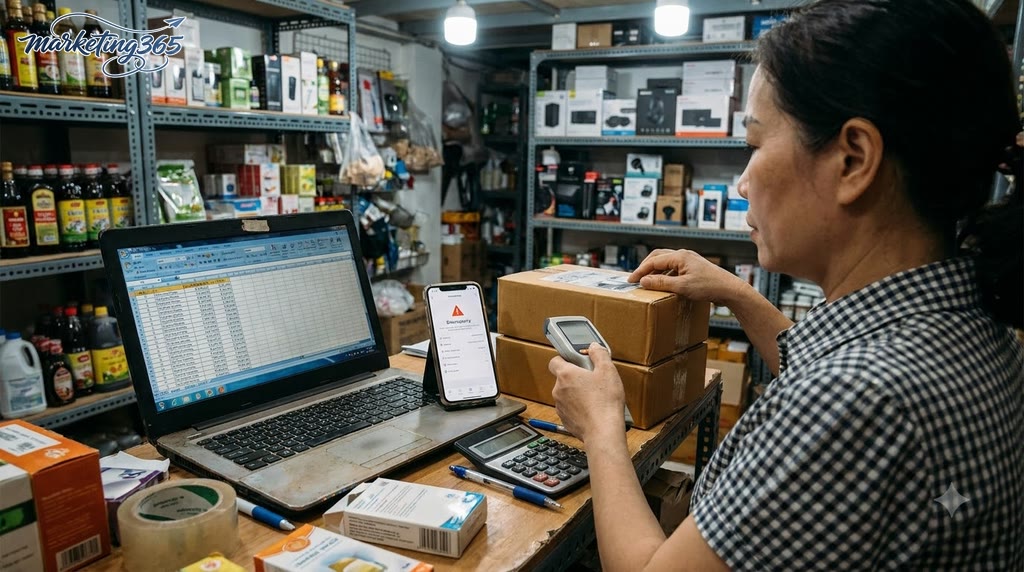
Managing inventory with Excel for a small shop is suitable when there are few SKUs, few variants, and only one person updates the file. This is enough if you can lock in the stock-in, stock-out, and stock-check rules, name versions clearly, and back up the file every day. An inventory Excel sheet can become messy quickly if someone forgets to save, edits the wrong cell, or uses an old file.
Checklist for using it effectively:
- Use only one inventory management file.
- Clearly record the date, item code, quantity in, quantity out, and remaining quantity columns.
- Lock formula cells to avoid accidental deletion.
- Name files by date or week, for example inventory_management_file_2026-09-05.
- Close the file once at the end of the day; do not back-edit multiple versions.
Signs that a shop should switch to inventory management software
A shop should switch to inventory management software when errors happen repeatedly, orders come from multiple channels, and manual reconciliation takes too long. If you have to open multiple files at the end of the day, add and subtract manually, and still end up with discrepancies, Excel has reached its limit. Another case is when several people handle orders and one missed update is enough to make inventory wrong for the whole day.
Common signals include:
- Inventory in the file differs from actual stock after periodic stock counts.
- You have to move from Excel to software because multichannel orders make inventory synchronization slow.
- You need minimum stock alerts to avoid running out.
- You need reports for stock in, stock out, and inventory by day, item code, or channel.
When 2–3 of these signs appear at the same time, a warehouse management app usually helps reduce manual work and keep data more stable.
How to reduce inventory losses for retail stores and small online shops
How to reduce inventory losses for retail stores and small online shops starts with finding the biggest leak, then closing each point one by one. For small shops, inventory discrepancies usually come from wrong item codes, delayed recording, damaged items not separated, returns/cancellations not updated, and picking items from the wrong location.
Which operational mistakes make inventory quietly “disappear”?
Operational mistakes cause inventory to drift over time if they happen every day, even if the file still looks correct. The most common case is picking the wrong item of the same type but with a different variant, such as size, color, or batch.

Another mistake is failing to record damaged items, samples, and free gifts. These items are still removed from the shelf but are not separated from available inventory. If numbers are still corrected manually without a log, it becomes very difficult to trace the cause later during reconciliation.
Quick action checklist:
- Review the last 20 orders with returns, cancellations, or exchanges.
- Compare the 5 item codes with the biggest differences between actual stock and the file.
- Record damaged items, free gifts, and samples separately on the same day.
How should you organize the warehouse to reduce confusion?
A neat warehouse setup for a mini shop means dividing locations by product group, variant, and sales frequency to reduce picking mistakes. Fast-selling items should be placed near the order-processing area, while slow-moving items should be stored farther away.
Each shelf or box should have a clear location code and a readable label. For stock received first, apply FIFO so older batches are picked first, especially for items with expiry dates or those that go out of style quickly. When there is no separate warehouse space, just keep one rule: one item code, one fixed location.
3 steps you can do right away:
- Label each compartment/shelf with a location code.
- Separate product areas by best-selling variants.
- Move the most frequently shipped items closer to the packing table.
How to manage inventory for a small shop will be more effective when you focus on stopping the biggest source of discrepancies first, instead of adjusting every item code at once.
Common inventory management mistakes small shops should avoid
Inventory management mistakes often distort stock numbers and cause small shops to lose orders or hold slow-moving inventory. By checking the 5 points below, you can quickly see where the file and actual stock are diverging.

- Updating stock only after receiving goods: this is the easiest mistake to cause discrepancies, because orders may already be selling while the file remains unchanged. The fix is to update immediately upon receipt and close inventory at a fixed time each day, such as the end of a shift or the end of the afternoon.
- Not separating damaged items, returns, and promotional items: putting these three groups in the same bin creates phantom stock. You should separate statuses from the start in the stock-in, stock-out, and stock-check process for a small shop so you know which items are still sellable and which need handling.
- Using one file without locking formulas or standardizing who edits it: just two people changing the same column can create errors. If you are managing inventory with Excel for a small shop, assign one person to update it and let others only enter data in the allowed cells.
- Checking stock without a fixed schedule: periodic stock counts for a small online shop should have a clear schedule, for example weekly for fast-moving items and monthly for slow-moving ones. Doing it randomly makes it very hard to find the source of discrepancies.
- Looking only at stock quantity and not at sales speed: an item with 30 units left is not necessarily safe if it only sells 1 unit every 2 weeks. You also need to look at turnover to decide whether to reorder or clear stock.
If you are applying how to manage inventory for a small shop, make sure you lock in a fixed checklist: update immediately, separate item statuses, lock the file, count on schedule, and track sales speed. Missing even one step will cause inventory discrepancies to repeat very quickly.
A 7-day rollout plan to stabilize inventory in a small shop
This 7-day plan helps a small shop stabilize inventory by doing each step gradually instead of trying to fix everything in one day. With how to manage inventory for a small shop, the goal is to close the correct item list, standardize the stock-in, stock-out, and stock-check process, and then tighten periodic checks. Doing it in the right order reduces errors and makes the routine easier to maintain.

- Day 1: standardize SKUs and the item list.
- Merge duplicate names and remove unused old codes.
- Each SKU should have only one name, one unit of measure, and one color/size.
- If you sell on multiple channels, clearly mark which SKU is the master version.
- Day 2: finalize the rules for stock-in/stock-out/returns/cancellations.
- Which orders count as stock out.
- When returned items are added back into stock.
- Where cancelled, damaged, or lost items are deducted from.
- Day 3: set minimum stock levels for key product groups.
- Choose the best-selling SKUs first.
- Set warning levels below a few days of expected sales.
- Do not use one common level for the entire warehouse.
- Day 4: reorganize the warehouse and mark locations.
- Each shelf, compartment, or box should have its own location code.
- Fast-selling items should be placed near the packing area.
- A neat warehouse setup for a mini shop should prioritize clear walkways and visible labels.
- Day 5: run a sample partial stock count.
- Select 10–20 high-risk or fast-selling SKUs.
- Compare actual stock with the records.
- Immediately note the reason for any discrepancy: unrecorded sales, unupdated receipts, or wrong location.
- Day 6: review discrepancies and fix the process.
- If the error is in one step, fix that step first.
- Apply the stock-in, stock-out, and stock-check process for a small shop using one fixed template.
- This is the time to optimize the warehouse by removing unnecessary steps.
- Day 7: finalize the periodic tracking method.
- Set the schedule for periodic stock counts for the small online shop.
- Assign the responsible person and the tracking form.
- Keep the stock-check rhythm fixed; do not wait until discrepancies become large before acting.
This inventory management plan works when the shop does one step each day instead of trying to change everything at once. If you need one quick rule to remember, start with accurate data, then warehouse location, then the checking cycle.
Frequently asked questions about how to manage inventory for a small shop
The questions below often come up when a shop starts tightening control over inventory. The answers are based on sales speed, number of SKUs, and each shop’s operating model.
How often should a small shop check inventory?
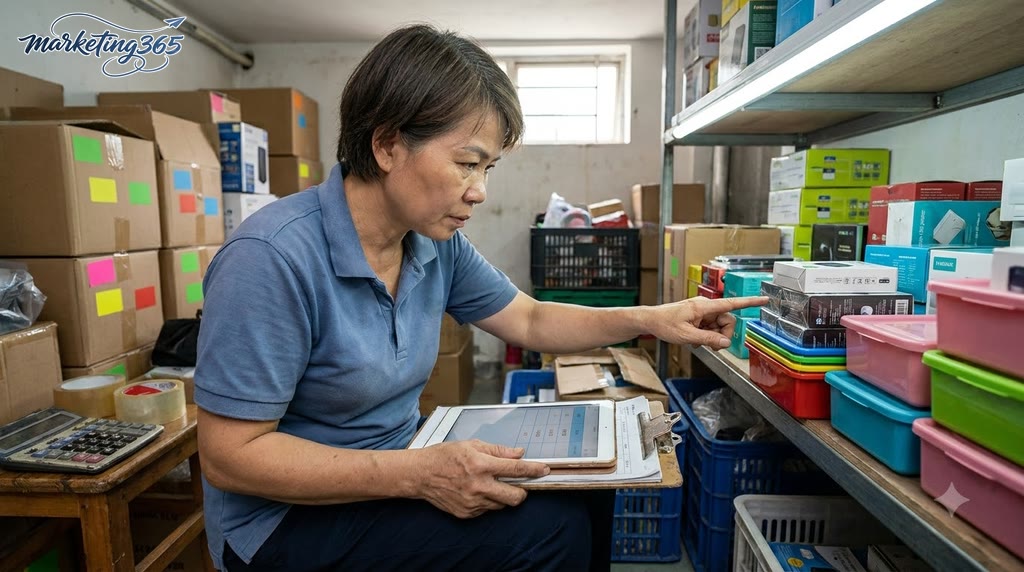
A small shop should check inventory at 3 levels: daily for fast-moving items, every 3–7 days for steady sellers, and weekly for slow-moving items. This helps detect discrepancies early without taking too much time.
For example, a shop with 150 SKUs on Shopee can close end-of-day stock for the 20 best-selling items, then count everything on Monday. If it sells through TikTok Shop and orders come in through live streams, it should also check after each livestream shift.
Specific approach:
- Split SKUs into 3 groups: fast-moving, steady-moving, and slow-moving.
- Assign a separate check schedule for each group.
- When one item is off twice in a row, move it to the more frequent check group.
If discrepancies are still large at the end of the day, the current frequency is too low or the stock-in/stock-out process is not strict enough.
Should you use Excel to manage inventory long term?
Excel works for a small shop, but it is only suitable when there are few SKUs and few people entering data. Once the file starts having many tabs, complex formulas, and slow reconciliation, Excel is more likely to produce errors than dedicated software.
A simple Excel file should usually have only 4 main columns: SKU code, quantity received, quantity sold, and ending stock. If the shop has 2 sales channels, add an order source column to know whether the discrepancy comes from Shopee or TikTok Shop.
Safer ways to use Excel:
- Lock the formulas in the ending stock column.
- Use a dropdown list for item codes to avoid typing errors.
- Allow only one person to update the master file each day.
If the shop already has more than 300 SKUs or 2–3 people working in the file, it should switch to software to reduce manual-entry errors.
What is the difference between FIFO and FEFO in small shop inventory management?
FIFO means first in, first out; FEFO means first expired, first out. FIFO is suitable for items without a clear expiry date, such as accessories, power banks, or small household goods. FEFO is suitable for cosmetics, food, vitamins, or items with production batches.
For example, a batch of liquid lipstick received in May but expiring in October should be prioritized under FEFO, even if it was received after another batch. If you mix both rules on the same shelf, it is very easy to ship the wrong old stock or items close to expiry.
Quick application:
- Use color labels for each rule: green for FIFO, yellow for FEFO.
- Separate the area for items with expiry dates from items without them.
- When receiving new stock, clearly mark the receipt date and expiry date on the label.
Shops with diverse products should finalize the rule at the time of stock receipt, not wait until shipping to distinguish them.
How do you know if a shop has inventory discrepancies?
A shop has inventory discrepancies when the file data does not match actual stock or when best-selling items keep showing as out of stock. This is a sign that the stock-in, stock-out, or stock-check process has an issue.
Quick 15-minute check:
- Select the 10 best-selling SKUs from the last 7 days.
- Count the actual stock on shelves or in boxes by hand.
- Compare it with the stock in the file and the quantity already issued in orders.
- Record separately any SKUs with differences of 1–2 units or more.
If the same group of items keeps showing discrepancies, it is usually because returns were not updated, the SKU was entered incorrectly, or multiple people edited the same file. In that case, tighten permissions and the end-of-day closing process immediately.
For official and up-to-date guidance, you can also refer to materials from Think with Google.
You can find more practical marketing guides at https://marketing365.vn.
Content from marketing365 is created for SMEs, online shop owners, and new marketers.
You can also read more articles on the same topic in the Ecommerce Marketing category.



